



Close CRM Review - I tried it for 7 hours: is it GOOD?
TL;DR: Close is an excellent calling-first CRM for outbound teams, but it skips LinkedIn and AI-native workflows 🏆
🟢 Close: a sales-focused CRM that unifies email, calling and SMS in one inbox, with power and predictive dialers and a call assistant. Best for outbound and remote teams that live on the phone.
🟠 Where it falls short: no native LinkedIn integration, no free plan, and workflow and AI features gated to higher tiers. Pricing runs from $19/mo (Solo) up to $149/user/mo (Enterprise).
🏆 Breakcold: the AI Native CRM for sales teams of 5 to 30+ people. AI agents handle the admin (move deals, log activity, create tasks), it connects to Claude and ChatGPT via native MCP, and it syncs LinkedIn, email, WhatsApp and Telegram into one pipeline. At 5 seats Breakcold is $139/mo, where a traditional CRM runs $300 to $500/mo.
✅ How to choose: pick Close if calling automation is your core motion, or an AI Native CRM like Breakcold if you sell across LinkedIn and email and want AI to remove the admin work.
Loading YouTube sends it your IP address and may enable cookies. This applies to this content only.
Let’s face it – time is money. And for the average sales team, every minute counts. Between meetings, calls, and chasing down leads, the last thing anyone wants is to waste precious time learning a new complex CRM system.
Enter Close.io: a simple, yet modern CRM built for salespeople, by salespeople (or so they claim). Close’s CRM promises to double the productivity of every sales rep, but does it deliver? Of course, we had to find out and after seven hours of getting up… close and personal 👀, here’s everything you need to know – from the pros and cons, to key features, and more.
Close CRM Summary:
What Is Close.io (And Who Is It For)?
Since 2013, Close has been on a mission to provide a CRM software that facilitates communication across sales teams, while removing the hassle of data entry and complex user-interfaces.
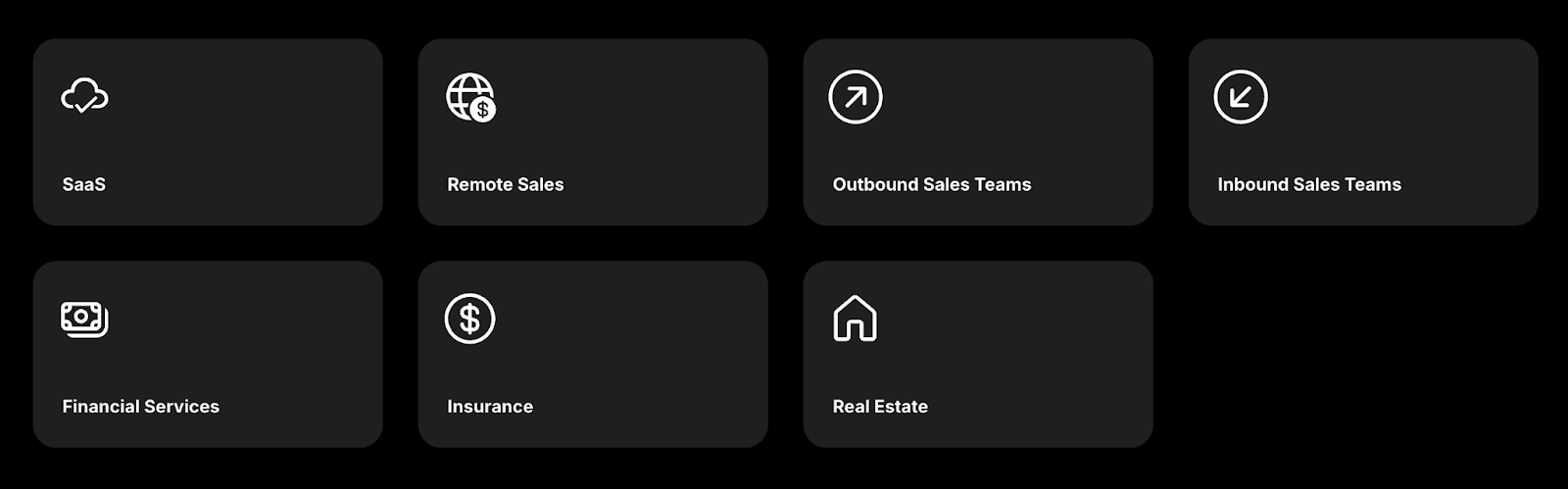
Close.io advertises itself as a CRM software provider that anyone can use from startups, SMBs, and even enterprises, but their typical clientele look like:
SaaS organizations
Remote sales teams
Outbound sales teams
Inbound sales teams
Financial services
Insurance companies
Real estate agents/firms
What Is Their USP?
At a glance, Close’s CRM stands out by unifying essential sales functions like email, calling, and SMS into one centralized inbox, all while backing them with powerful automation and workflow tools that take these functions to the next level. However, what really attracts customers to Close's CRM is a powerful **calling automation system **that is geared to towards outbound sales teams.
On top of this, Close.io seamlessly integrates over 100 different applications, making its CRM software a versatile tool that can meet the specific **needs **and **requirements **of various industries.
Now, let’s dive into what truly makes this CRM tick.
Key Features and Functions 🔑
Product Overview 📖
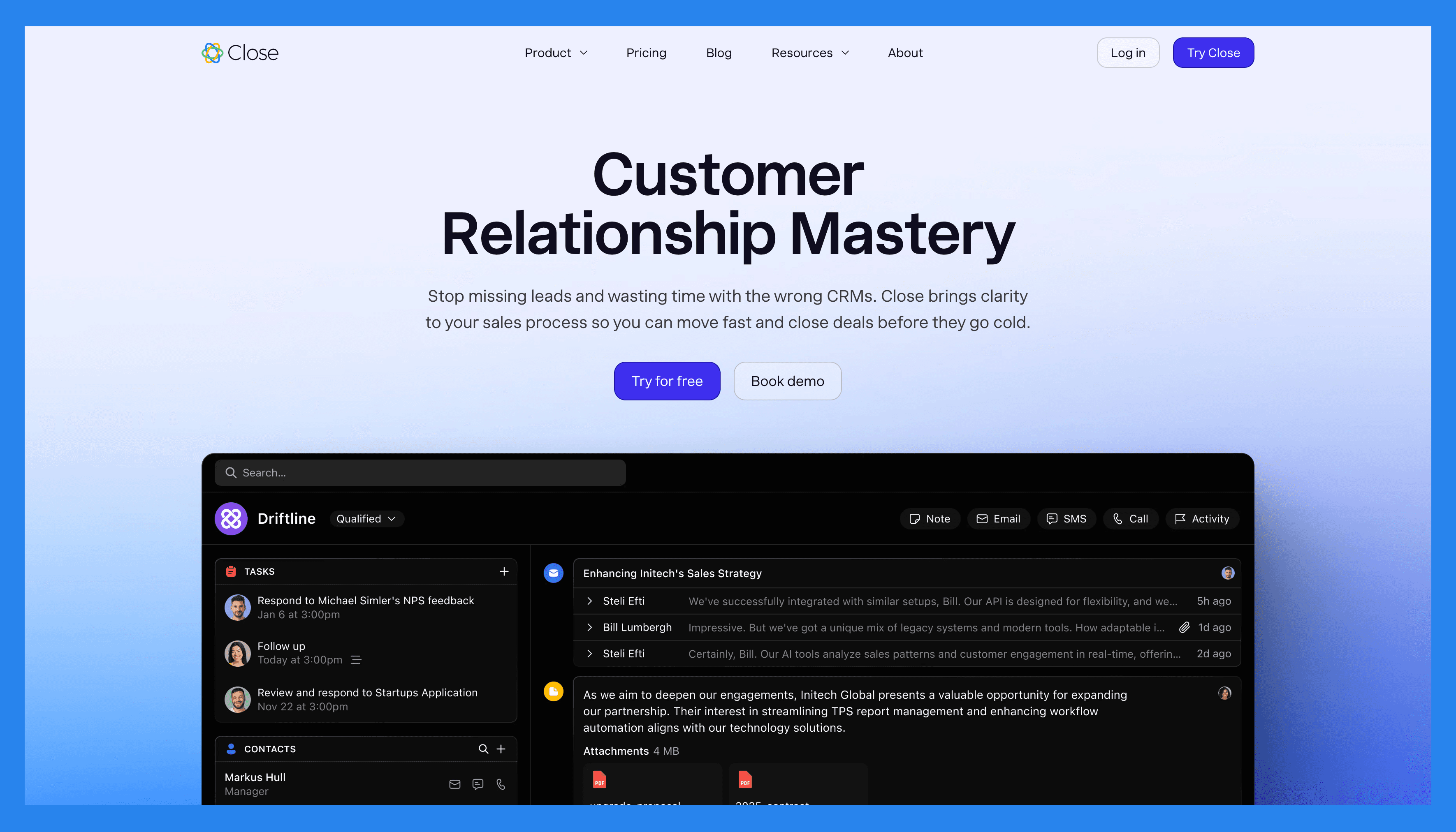
On the surface, Close.io boasts a variety of features that enhance user experience, making the platform more accessible to the average user. We breakdown what that means below 😉:
Fast Setup
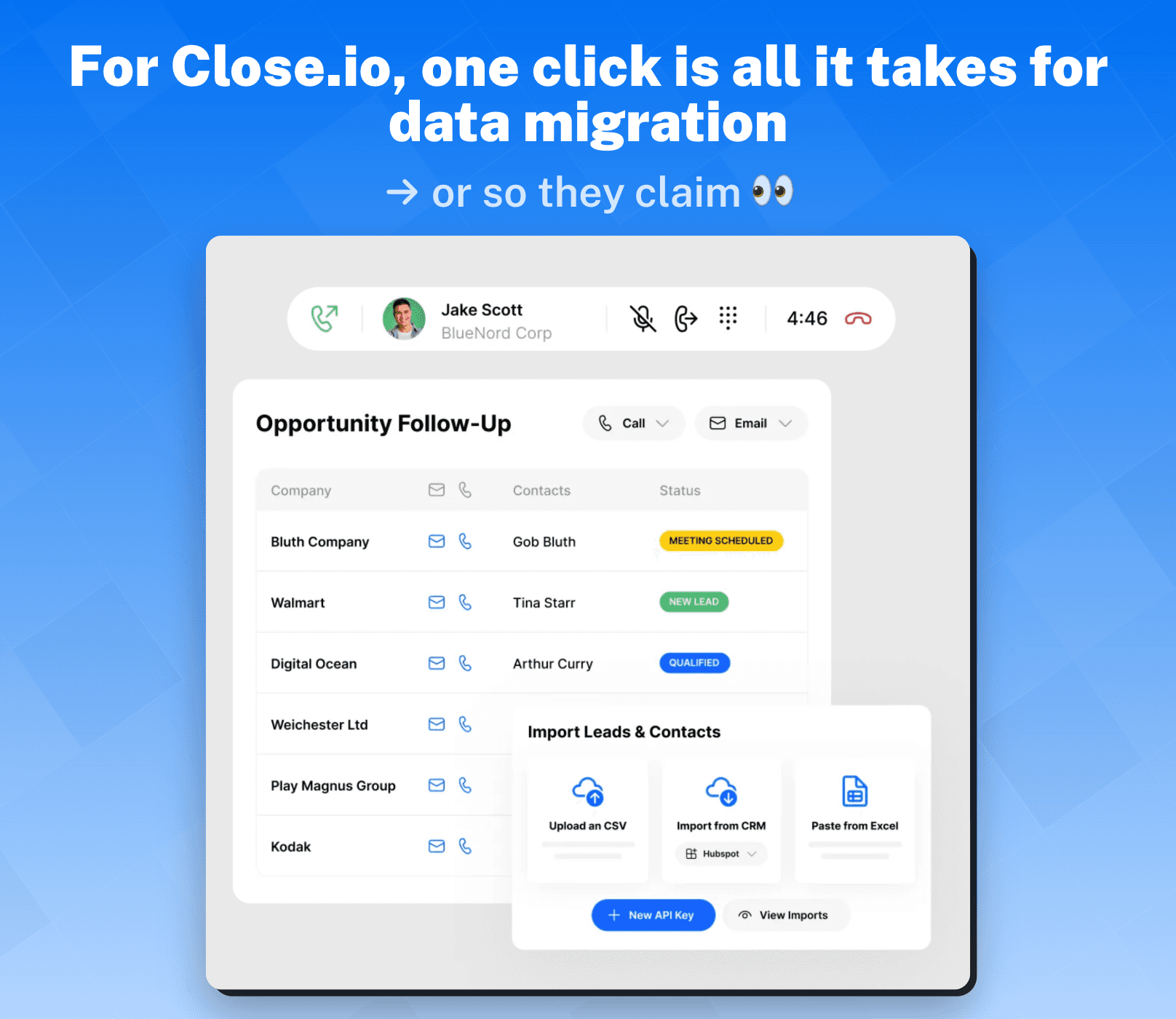
Whether you’re inputting your data manually, importing it from a spreadsheet (CSV or XLS file-friendly), or even migrating CRMs entirely, Close.io made sure to cover its bases with a seamless data migration system that even the most tech-averse sales reps can easily navigate.
User-friendly Interface
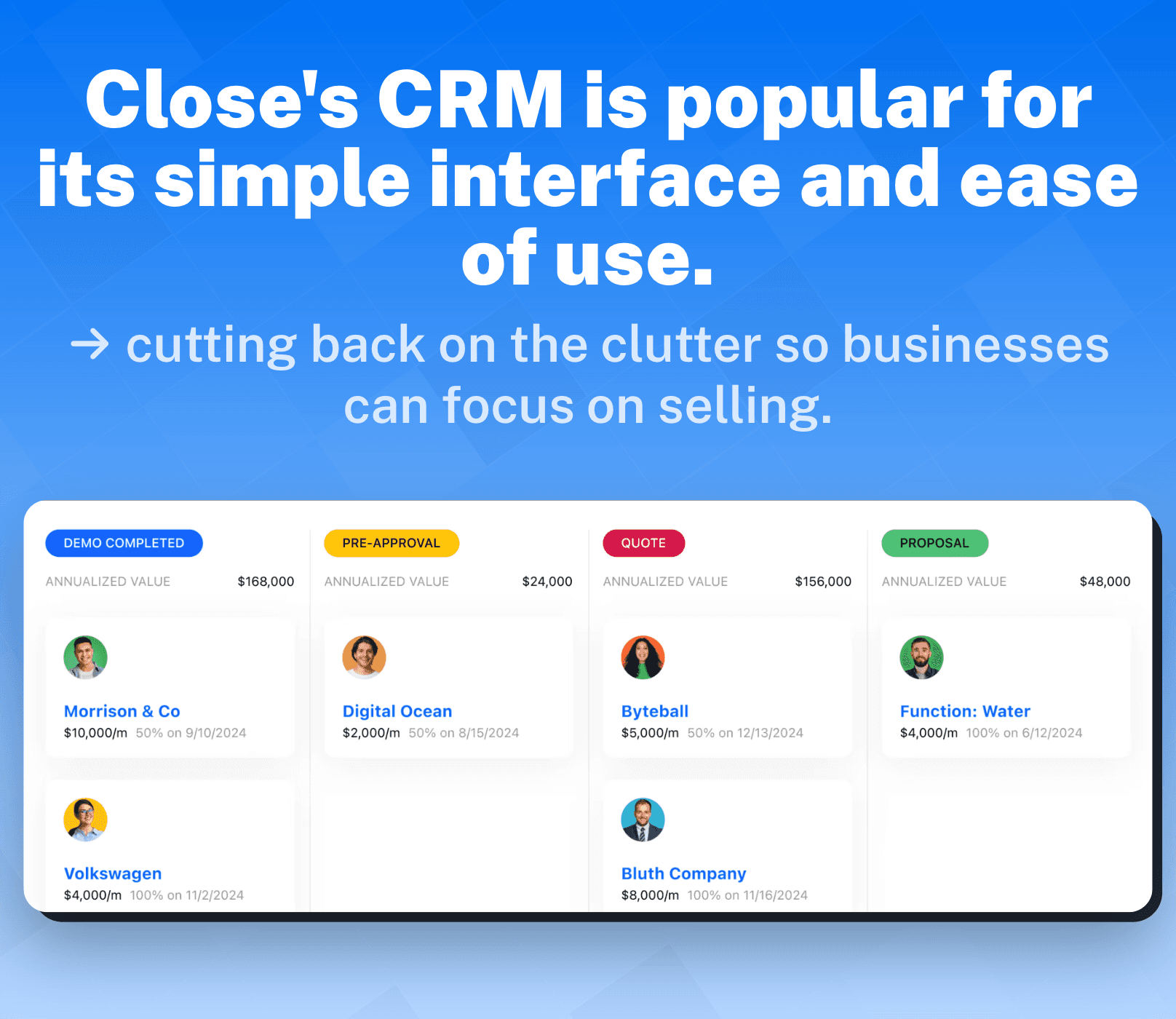
Now, pair that with a sleek, highly customizable dashboard and you could possibly transform what would normally be a several-week onboarding process into just a few hours (their words, not ours).
All-in-one Selling Module
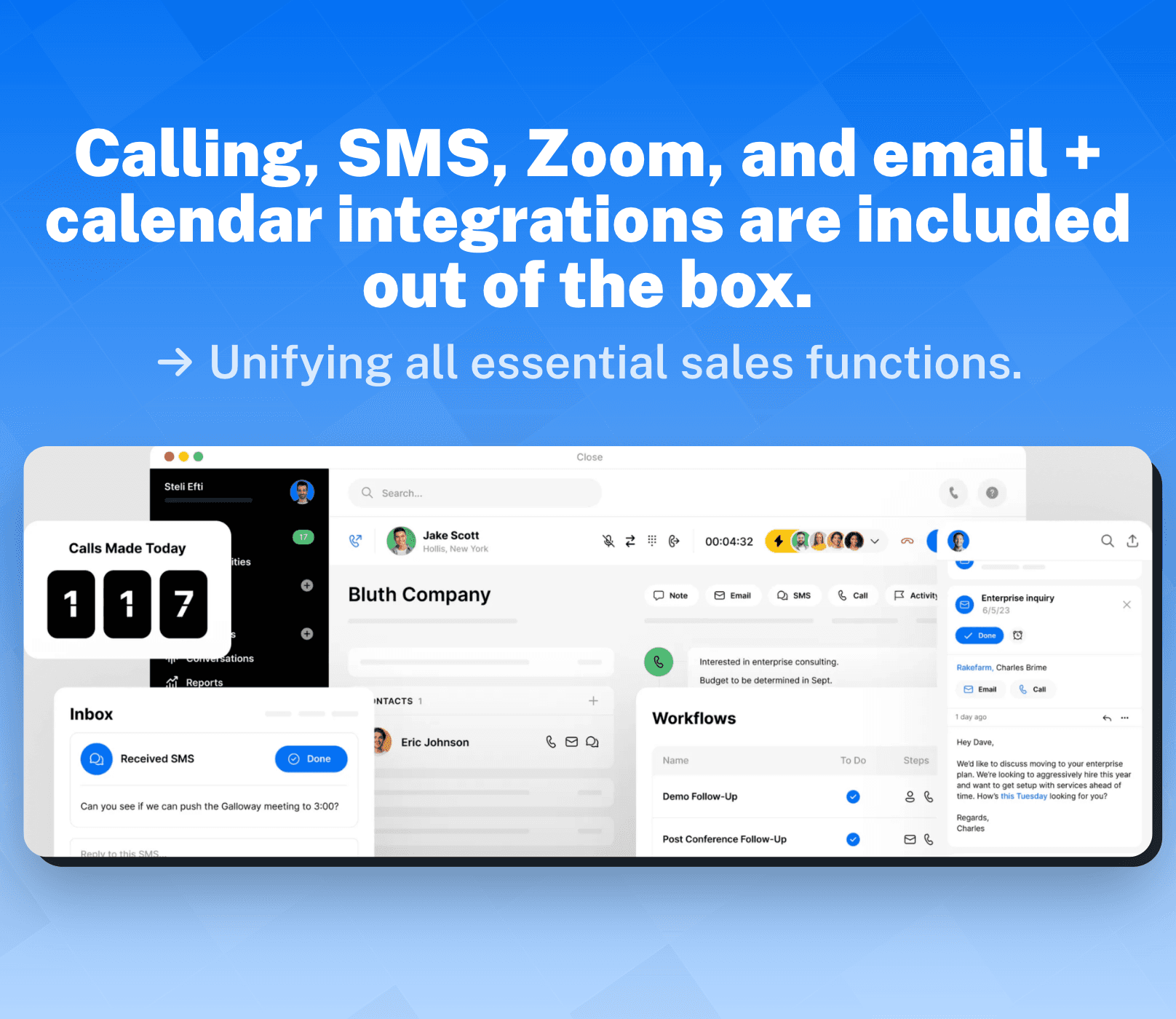
Here’s where things get a little exciting, remember how I mentioned that Close’s CRM has centralized all essential sales functions into one inbox. This allows the CRM software to become an all-in-one selling module where calling, SMS, Zoom, and email + calendar integrations can be accessed directly from the platform – no additional apps needed.
There’s also the added bonus of Close making their CRM accessible from **desktops **and mobile phones.
Communication Tools & Features 📨💬📞
When we start to dig a little deeper that’s where we start to see the magic unfold. Close’s communication tools are designed to **accelerate **leads through the sales pipeline.
Imagine this: you're chasing leads over email across multiple platforms (Gmail, Outlook, etc.) and engaging with prospects at various stages of the sales cycle. You’ll find that it’s a bit like herding cats — while you manage a couple, the rest will eventually slip away.
Close.io answers this pain point by syncing all your conversations into one centralized inbox. This ensures you and your sales team stay in the loop at all times, so no interaction goes overlooked, unnoticed, or even overly-engaged.
Close further supports email communication with a range of powerful automation tools and **features **like:
Bulk email sender
Multi-channel Workflows
Shareable email templates
AI email editor
Undo send
One-click snooze
Calls** **
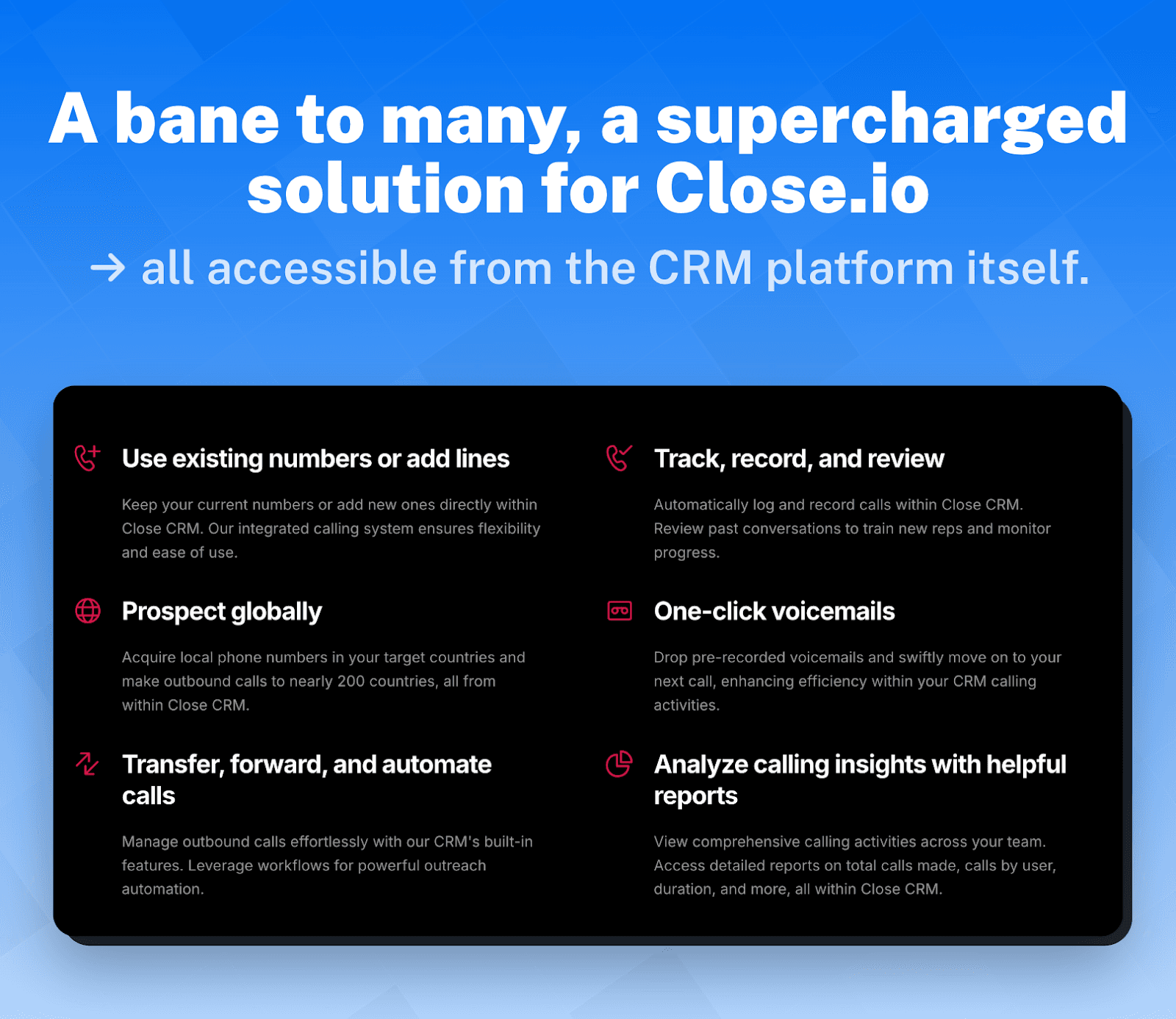
What many sales reps consider a bane to their existence, Close.io saw as an opportunity to supercharge the calling process with intuitive features:
Sales reps can seamlessly save existing numbers and/or add new ones.
Acquire international phone numbers to prospect globally in over 200 countries.
Beyond expanding horizons (literally), Close.io also lets you transfer, forward, and automate calls.
Log and record calls for later review.
Drop voicemails in a single click to move you on to your next prospect.
A feature which won’t be available for all sales reps, depending on your pricing plan, is Call Coaching. Available only on the Business (Legacy) and Enterprise plans, Call Coaching is a valuable tool for even the most seasoned reps – allowing other team members to listen in, whisper tips, or intervene in a call if necessary.

Additionally, Close.io will compile a comprehensive calling report that will highlight total calls made, calls by users, duration, and more — helping you identify gaps and **opportunities **in your calling strategy.
Video Calls
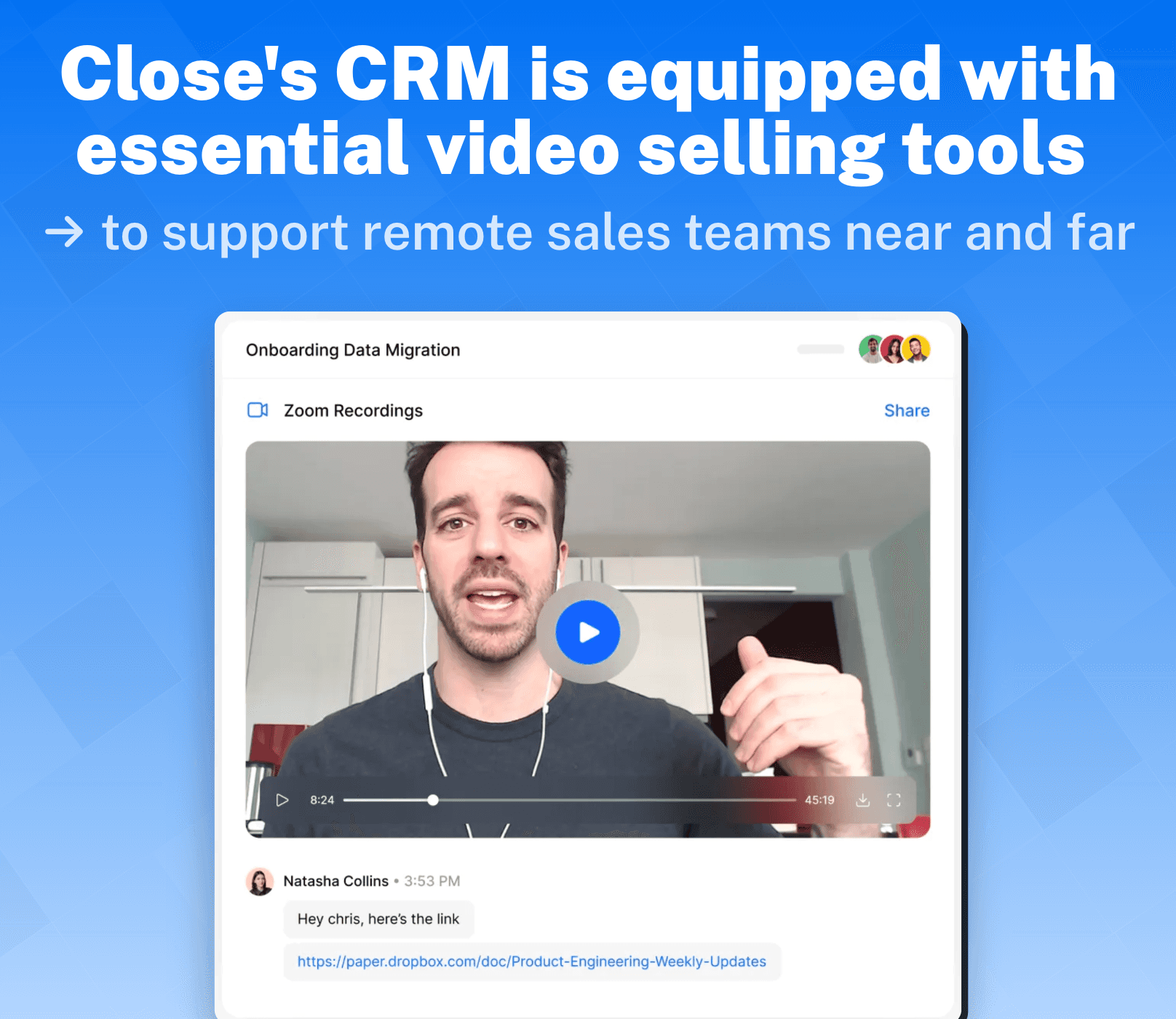
Close.io understands that video sales is an essential tool for any remote sales team and is why you can link your Zoom account to sync all your contacts and **recordings **into one place. Inversely, Close will notify you 5-minutes in advance before your next meeting while making each call accessible on the CRM.
SMS
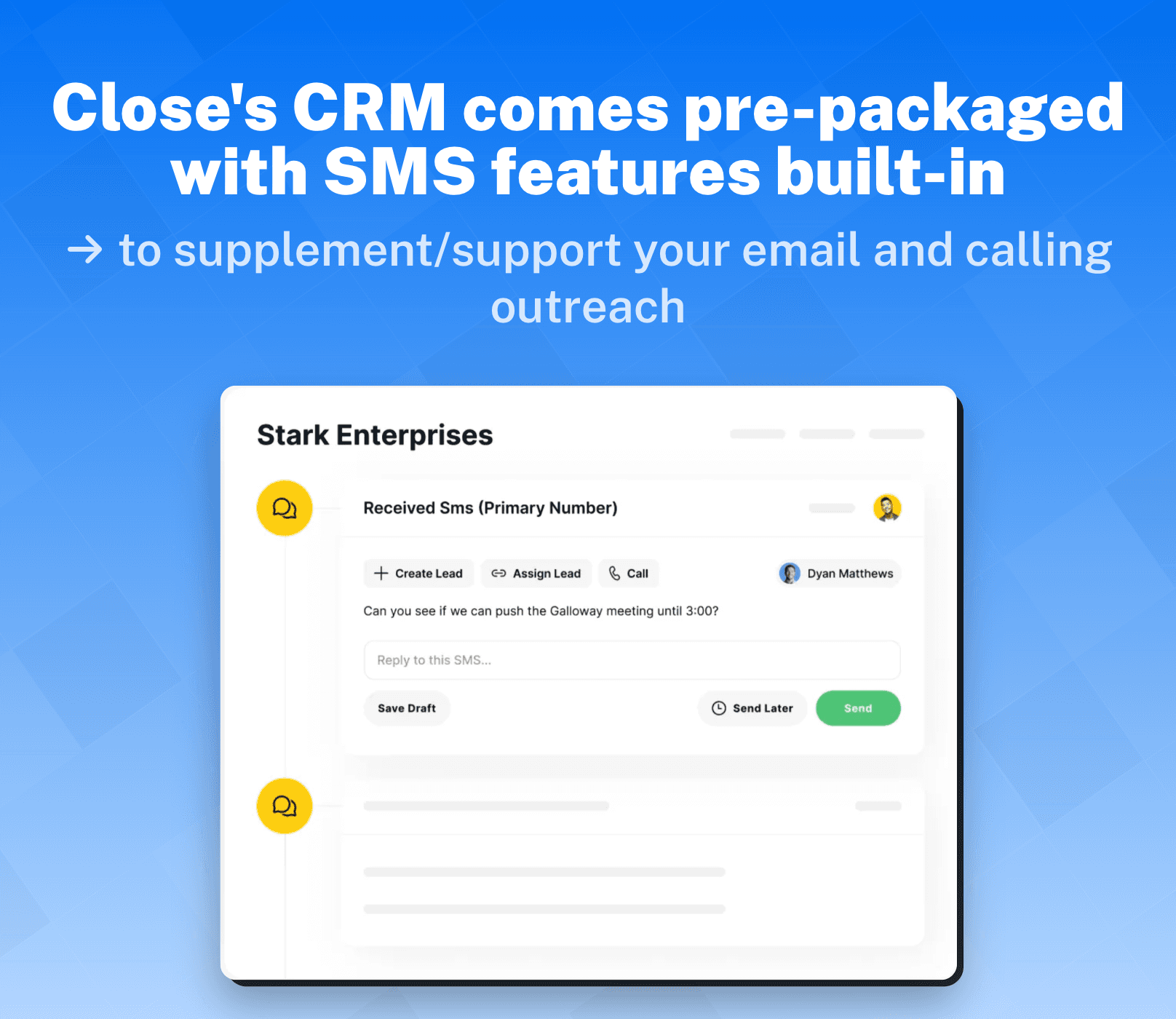
Close’s CRM includes **texting features out of the box **to supplement your email and calling outreach. **All plans **offer SMS functionality, with features that overlap with its other communication tools, such as:
SMS and custom templates
Pre-scheduled messages
Centralized SMS inbox
API for bulk texting
SMS reminders and follow-ups
SMS activity insights
Pricing may vary per text sent in different countries/regions.

Calendar Sync
A simple feature at its core, Close’s CRM streamlines the scheduling process by **syncing **and **organizing **your Google and Outlook calendar into one platform. This feature can help businesses avoid any potential scheduling mix-ups, saving them **time **(and money) in the process.
Collaboration** **
Close’s CRM equips sales teams with a task delegation system and a team overview. These features help businesses assess the current workload of their reps, assign the right person to each job, and identify team members who may need additional training when quotas aren’t being met.
Automation Tools & Features 🦾
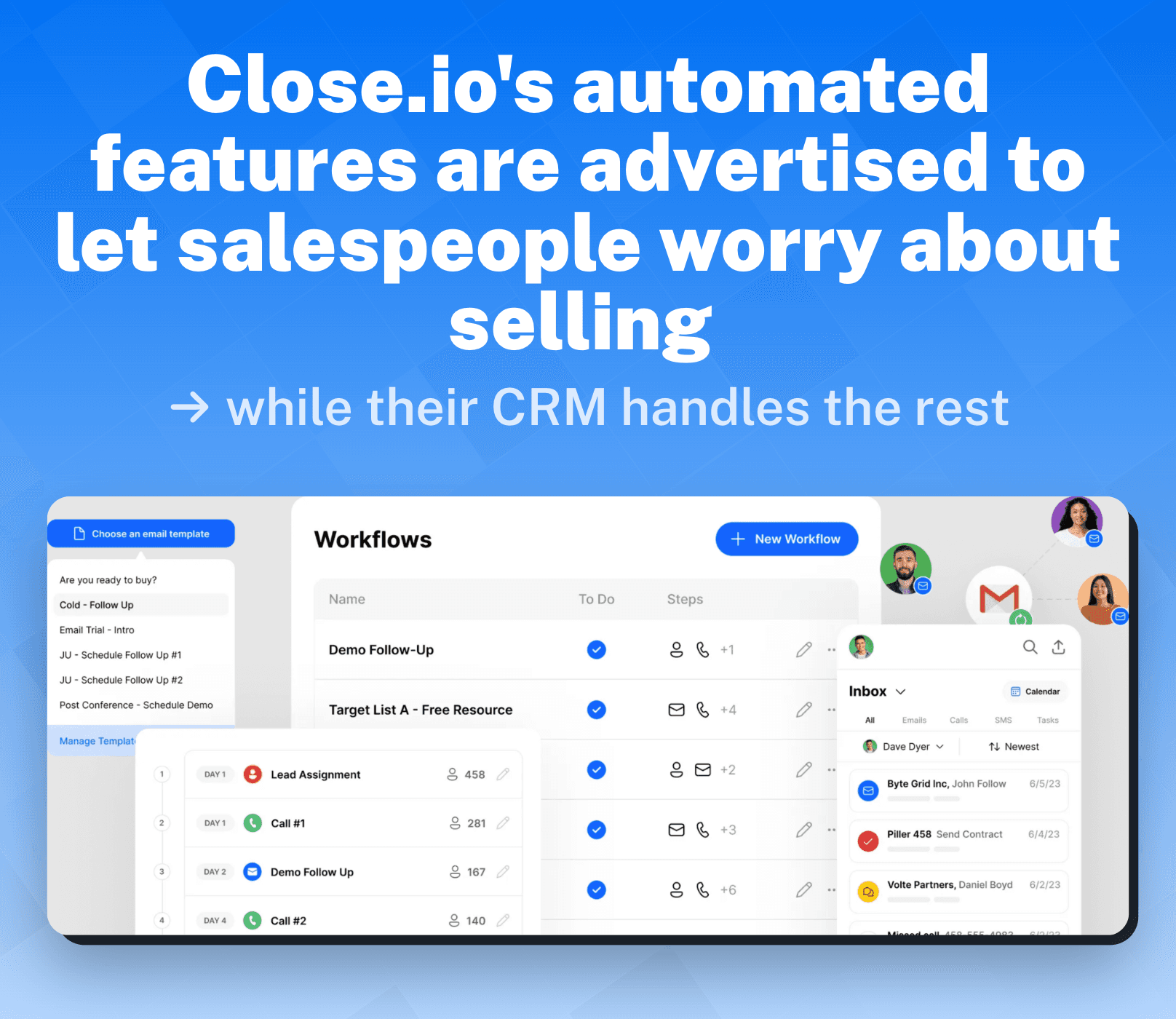
Hidden away under all the data and code, you’ll find some robust automation tools that help salespeople do what they do best – sell:
Automated Workflows
Close’s CRM gives you the **flexibility **to design workflows that best suit your needs. These workflows can – either manually or **automatically **– trigger a string of functions when a pre-determined criteria is met, allowing you to automate internal communications, task assignment, or **outreach **via email, call, or SMS.
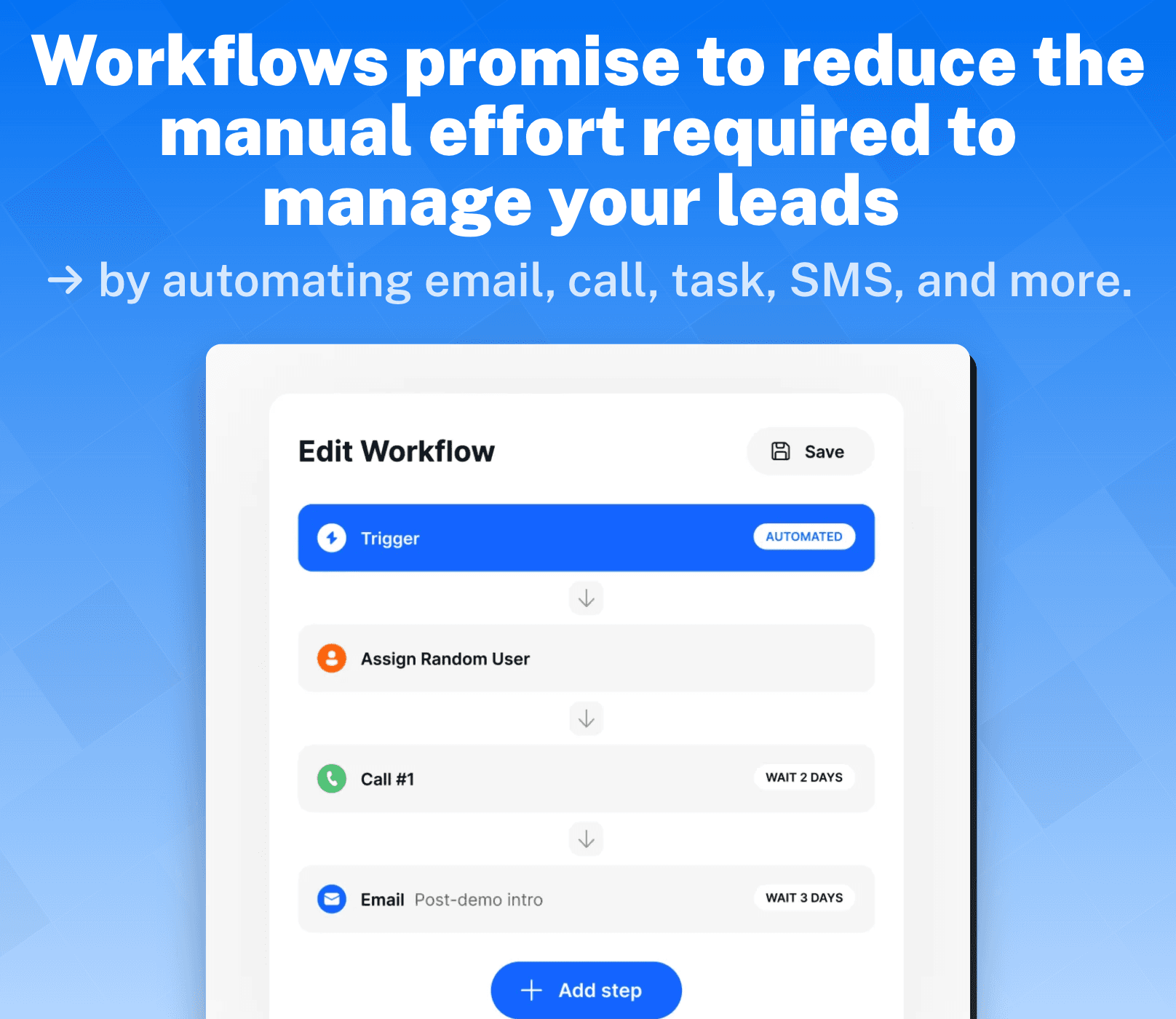
Once you’ve found a winning workflow, you can share it as a template to your team.
Search + Smart Views
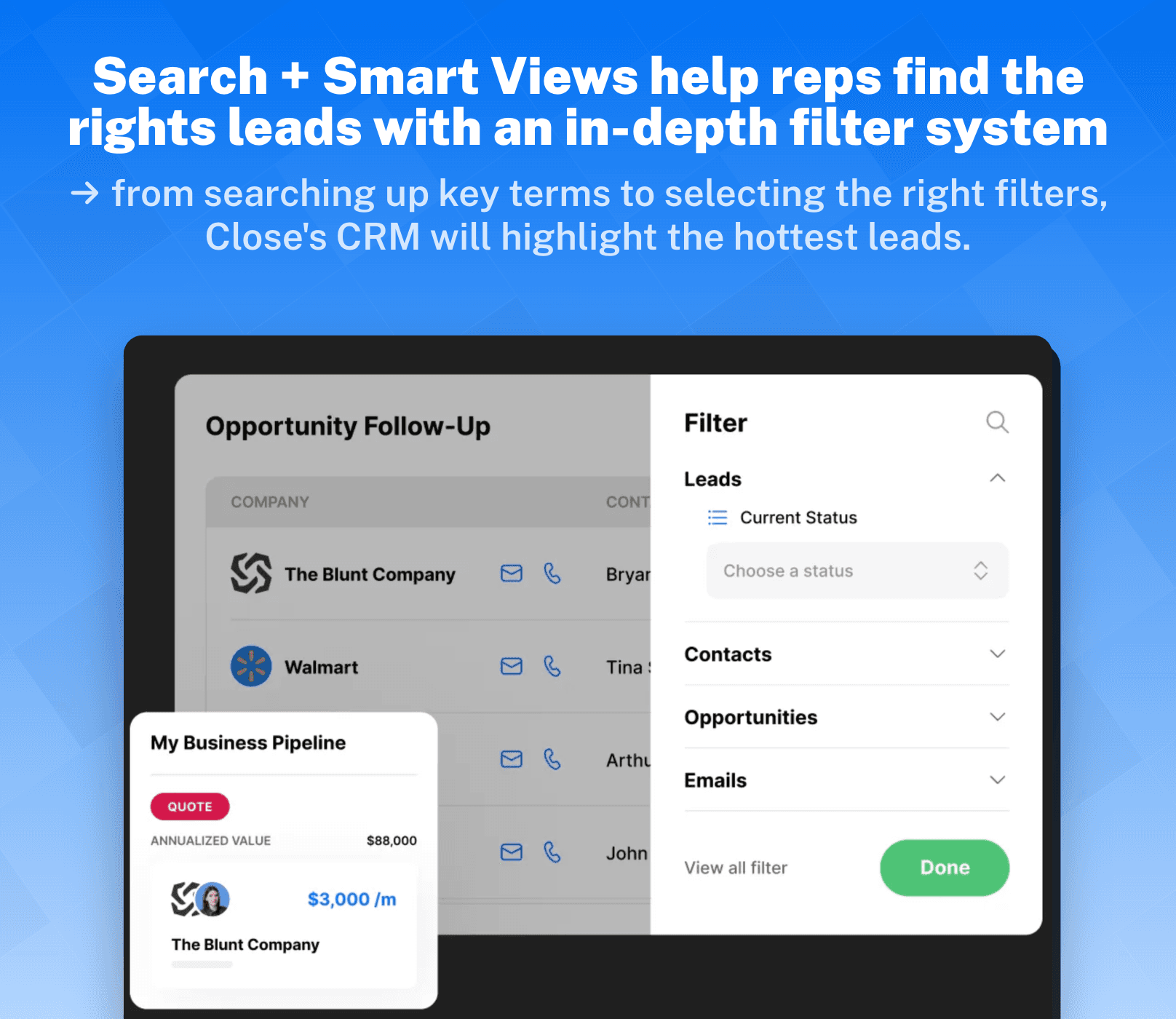
Close.io helps you prioritize the leads that matter and they make it pretty easy for you to spot them even at a glance. With Close’s intuitive contact filter, you can revive a cold lead by simply searching important phrases, contract mentions, past conversations, and more.
Smart View allows you to find the leads that best fit your priority lead data. This helps sales reps identify the hottest leads all in one click and there’s the added bonus of being able to share saved lead filters to the rest of your team.
Power + Predictive Dialers
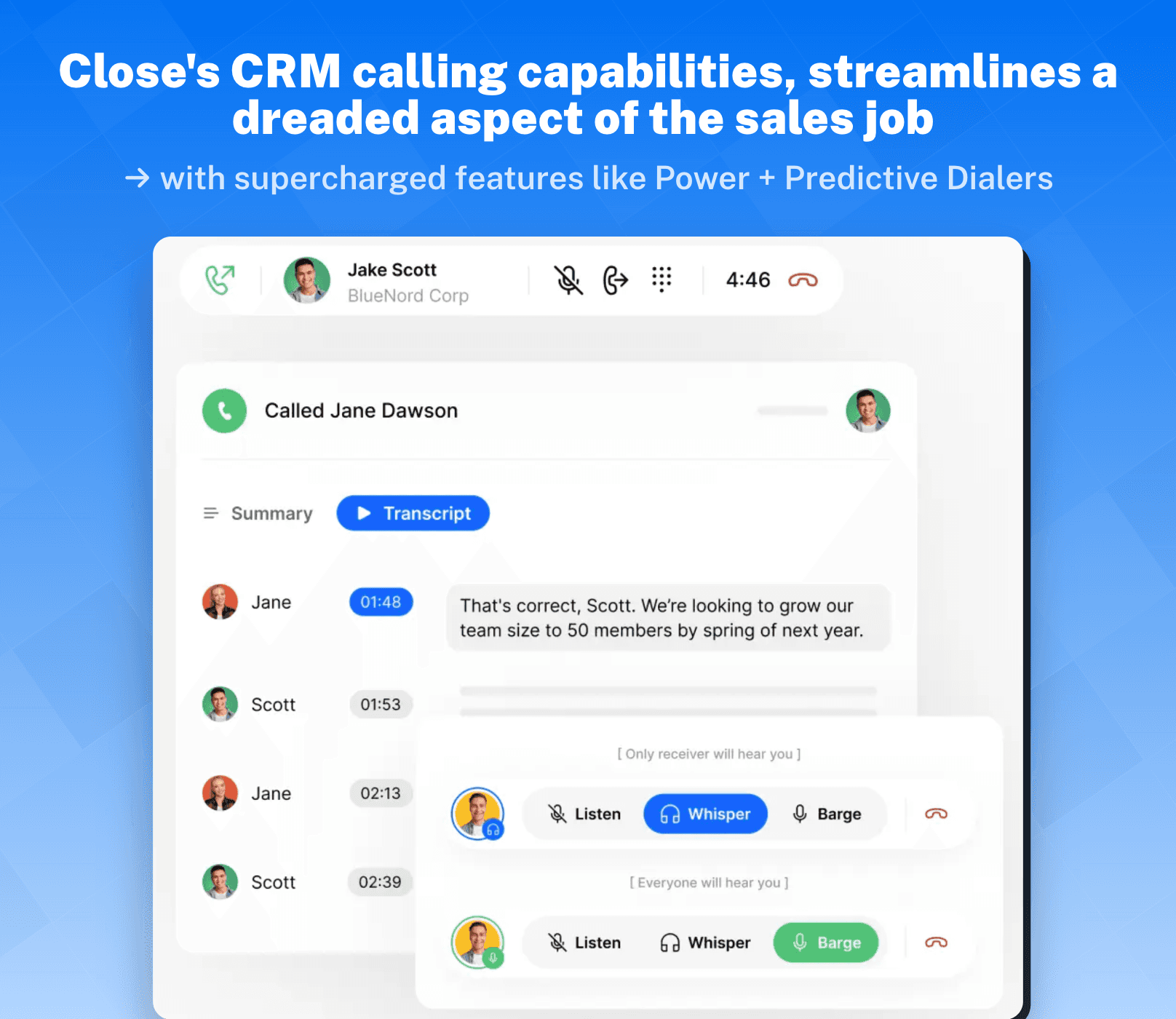
Close’s CRM further supports sales reps in their cold-calling woes with a power dialer that helps them do as advertised: power through! The moment a disconnect, busy number, or a number no longer in service is identified, the power dialer immediately puts the sales reps on to their next call without having to input the number themselves.
The predictive dialer helps sales reps cut through dial tones and connect them with their leads more efficiently. The predictive dialer dials multiple numbers at once and waits to hear a real human voice answer before routing a sales rep to the call.
Call Assistant
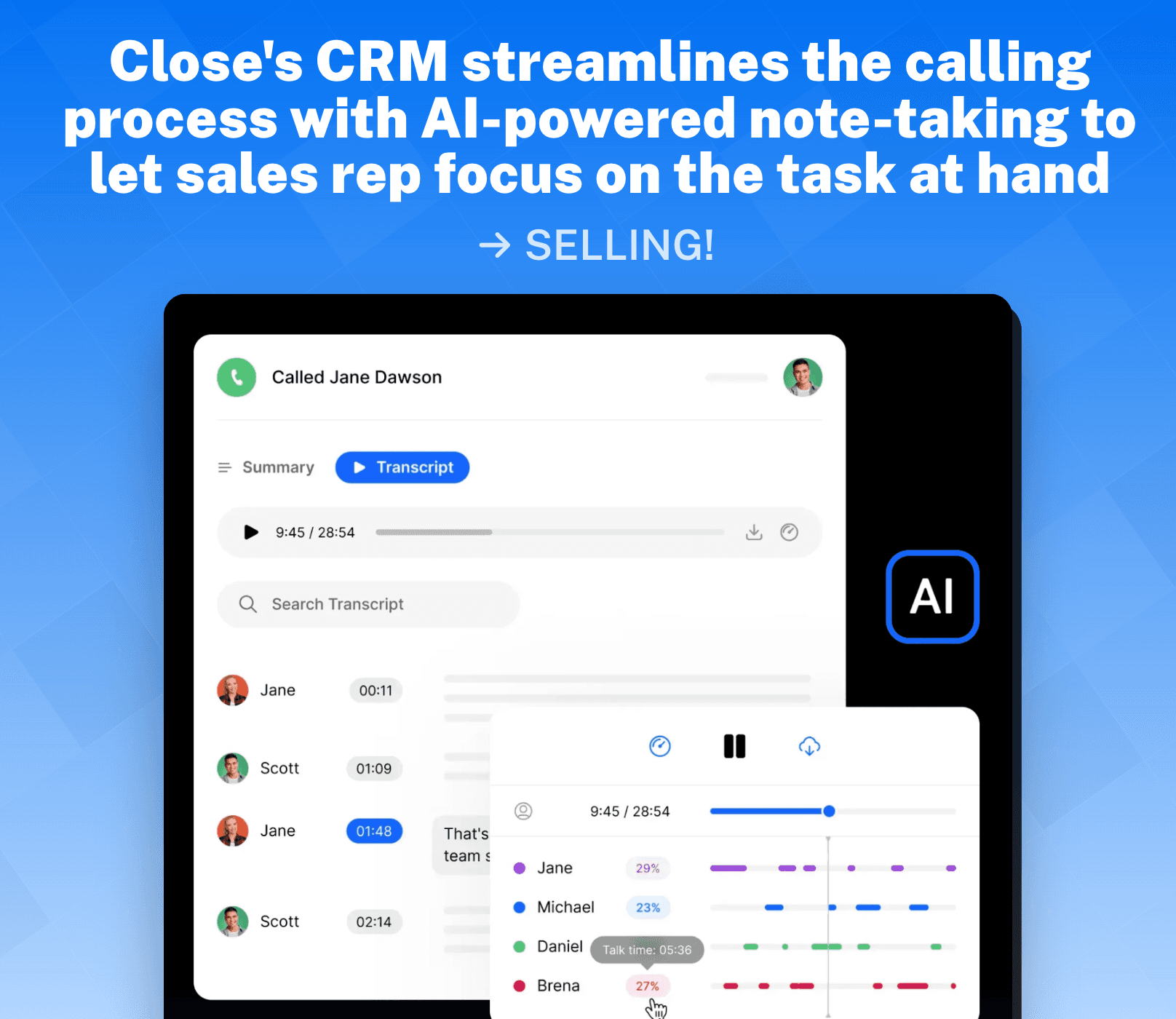
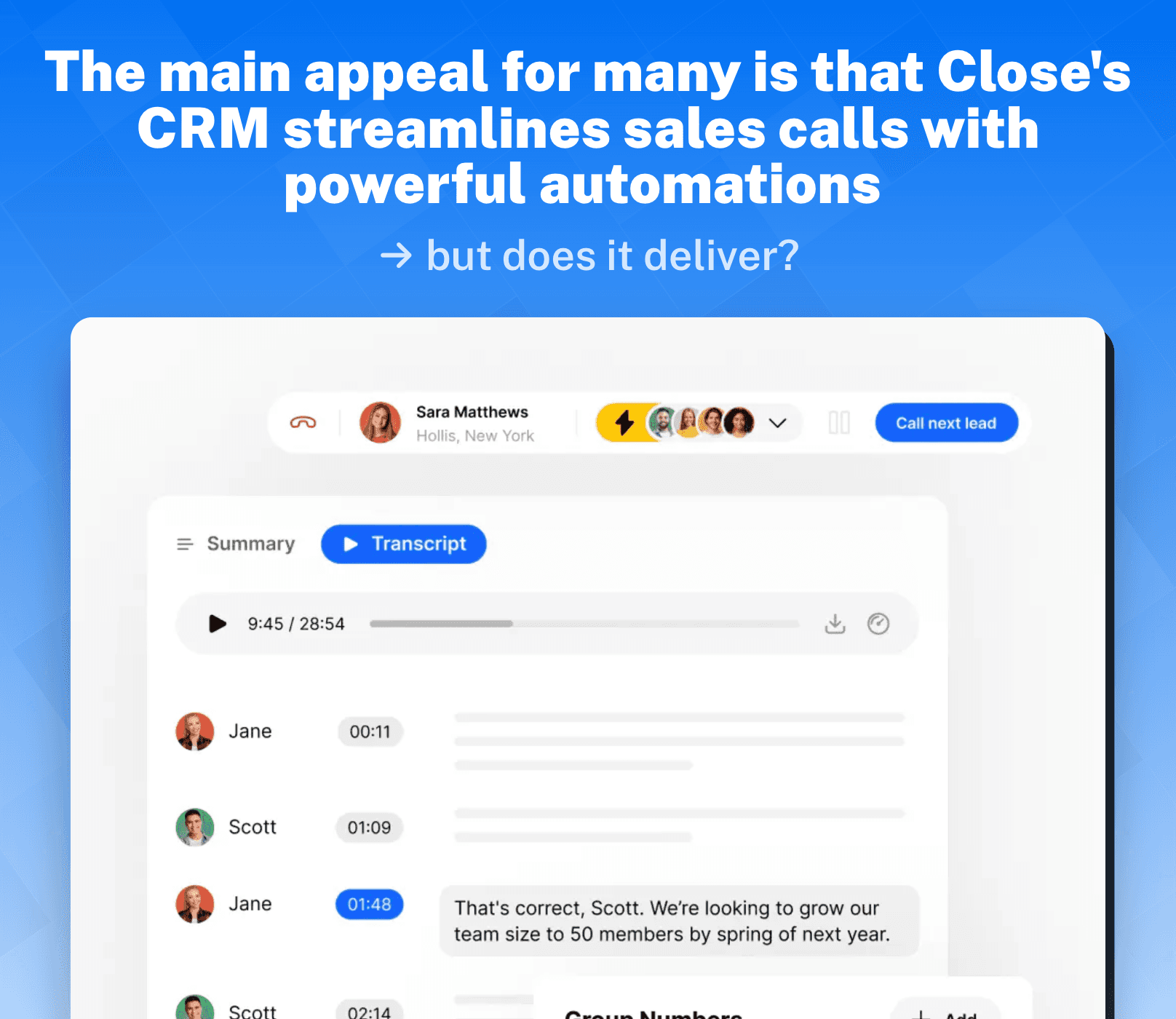
Not a fan of taking notes? Neither are Close.io. The call assistant will automatically transcribe and **summarize **your calls made through Close's CRM. Regardless of the length of the conversation, call assistant will detail out what was being said and by who.
Integrations 🤝
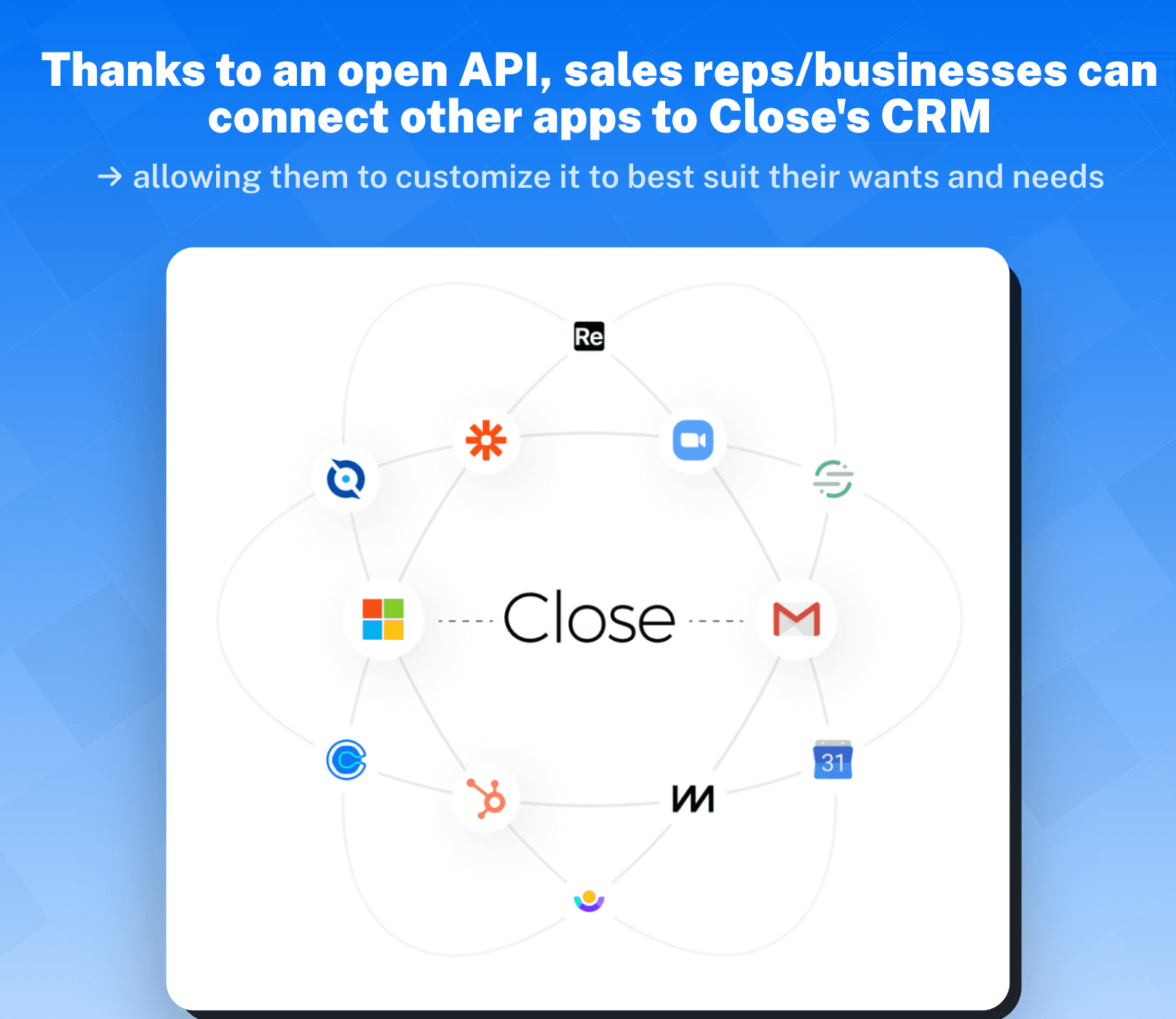
Close’s CRM makes it possible to seamlessly connect with 100+ integrations that can work with any tool in your stack.
Some integrations you’ll find:
Hubspot, Zapier, Calendly, Fivetran, Google, SavvyCal, Segment, Zoom, Microsoft 365, Gong.io, Slack, Docusign, Fireflies, Close GPT, Fathom Video, Clay, Drip, FindyMail, journy.io.
Reporting & Insights 📈
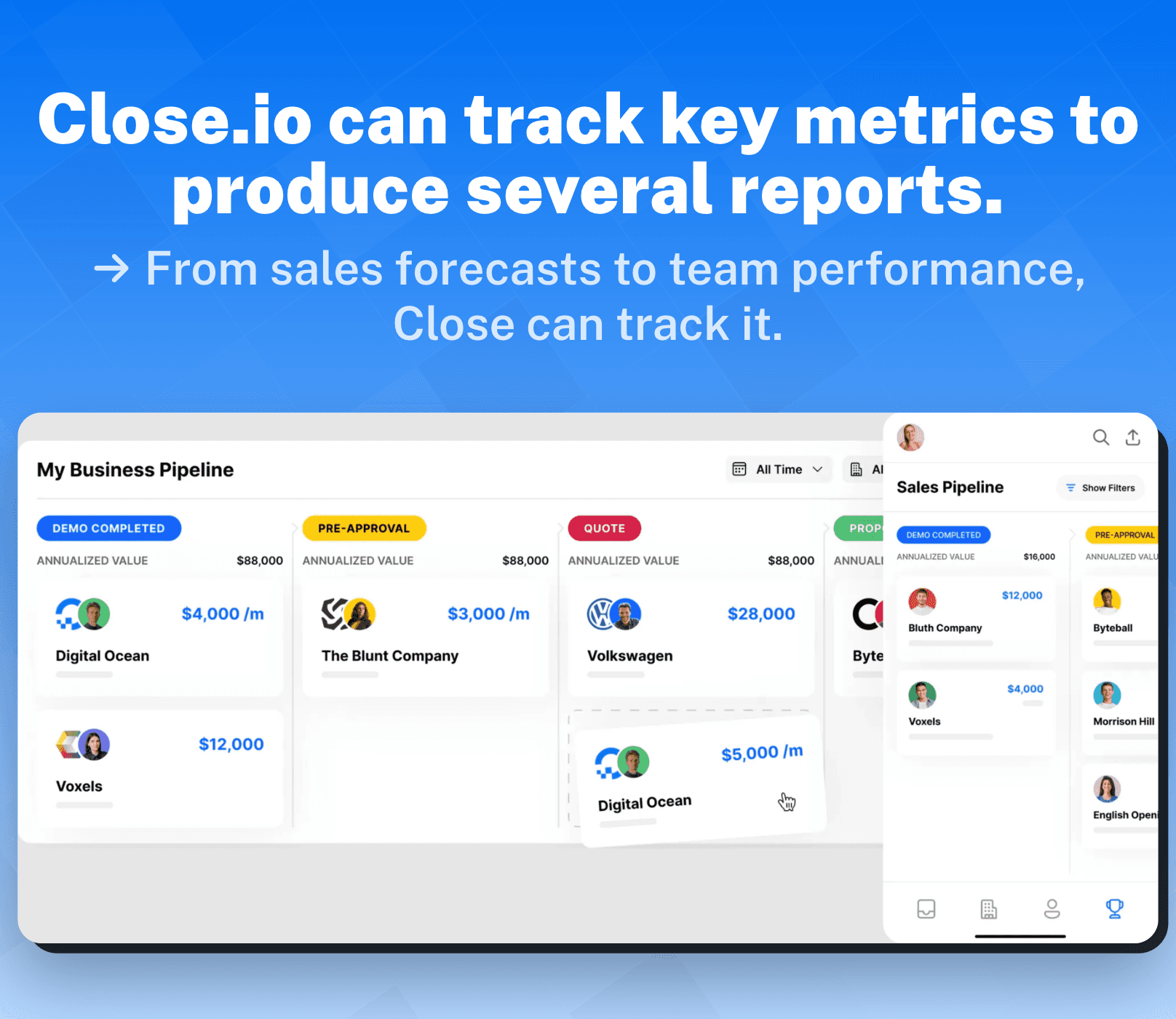
From **projections **to **leaderboards **and every KPI in between, Close’s CRM equip sales teams with robust reporting tools to help them close more deals with actionable insights.
Sales teams can keep track of their **activity **and **performance **while also monitoring **opportunities **that may emerge in the pipeline. Here’s what you can track:
Activity Comparison with time-based reports
Activity Overview with priority metrics
Status Change with your leads in the pipeline
Sent Email open/response rates
Opportunity Pipeline
Opportunity List
Opportunity Funnels
Security 🔒
Close.io has safeguarded its platform with stringent processes that ensure your data and privacy are managed and protected responsibly.
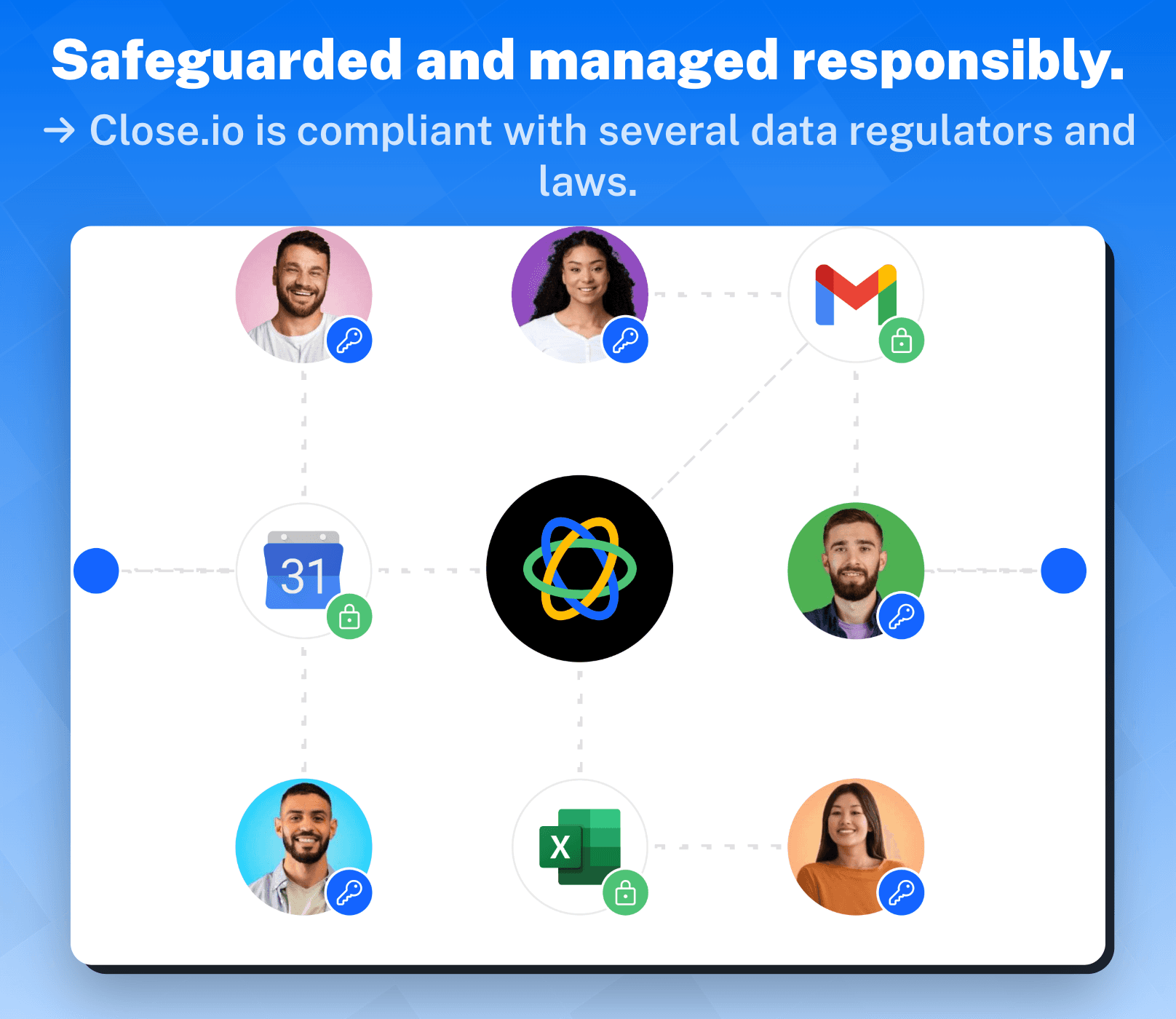
Close’s CRM is compliant with these data regulations:
SOC 2 Type 2 compliant
GDPR compliant
CCPA compliant
Close CRM’s Pricing 💰
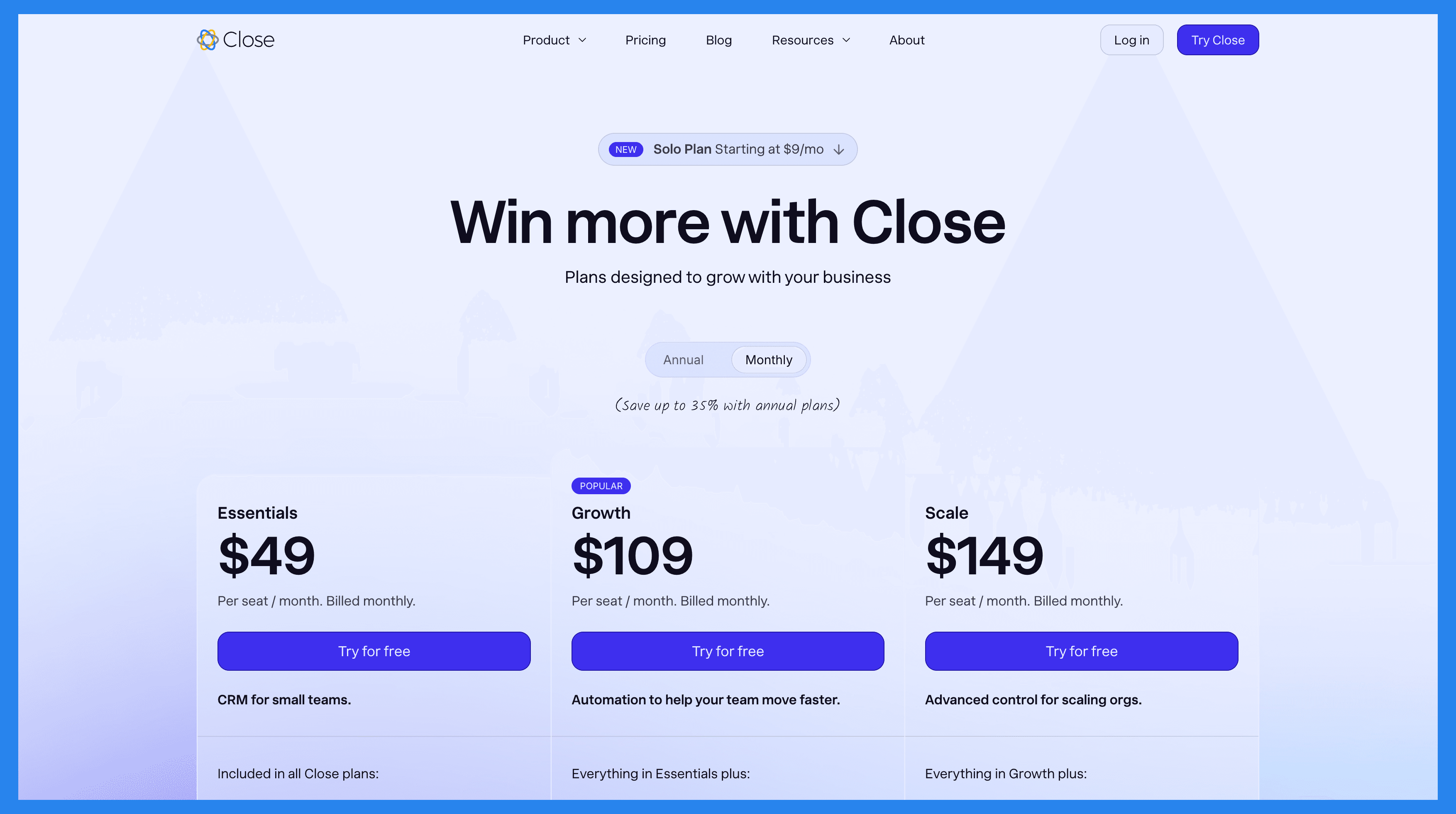
After your 14 day free trial is over, Close.io offers a range of pricing plans geared towards businesses of different sizes.
Solo | Base | Professional | Enterprise |
|---|---|---|---|
$19/mo | $49/user/mo | $109/user/mo | $149/user/mo |
Includes everything in Essential, but: Limited to 1 user Limited to 10k leads Workflows not included | Included in all Close plans: Unlimited contacts & leads Multiple pipelines Advanced lead & activity filters Built-in email, calling & SMS Centralized inbox & task lists | Everything in Essentials plus: Automated workflows Power Dialer AI Email Assistant Custom Activities | Everything in Growth plus: Role-based access & permissions Lead visibility rules Predictive Dialer Unlimited call recording |
How Does Close.io Stack Up to Breakcold? 🧊🔨
Close CRM Ratings + Pros & Cons ⭐
Ratings | |
|---|---|
G2 – 4.7/5 (1,044) | Capterra - 4.7/5 (161) |
Pros ✅ | Cons ❌ |
Ease of use and user-friendly interface Robust calling features/automations Two-way email sync Intuitive email outreach Cost-effective compared to competitors Streamlines productivity and communication Limitless customization with open API | No free version Lacks native integration with LinkedIn Smart View filters can be overwhelming/tedious to set up Workflow feature is limited compared to competitors SMS messages only reach US, CA, GB, and AUS Lacks full-access to all features at lower price points Slow load times and calling connectivity issues |
Breakcold vs Close.io 🆚
Loading YouTube sends it your IP address and may enable cookies. This applies to this content only.
If you’re hunting for a CRM that’s not just intuitive but actually AI-native, Breakcold is the clear winner. Think of it as a smart sidekick that helps you build personalized relationships at scale. Close.io may pack a heavy-duty sales automation punch for big teams, but for most startups and SMBs, it’s like bringing a rocket launcher to a snowball fight. Breakcold gives you the AI tools you need to grow — without the complexity or price tag that make other CRMs feel more like a burden than a boost.
Here's why people prefer Breakcold over Close.io:
AI-Native Onboarding
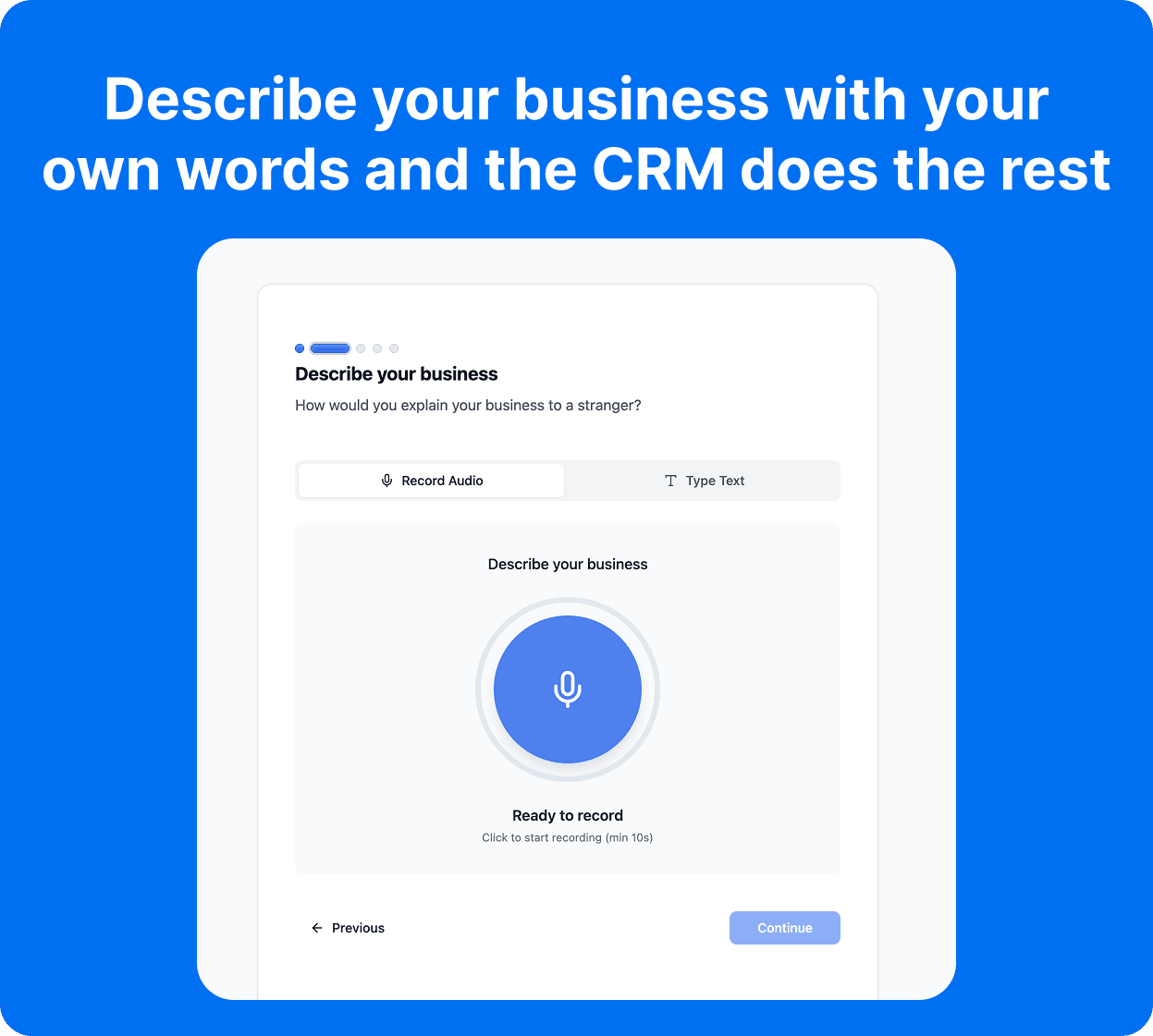
While Close boasts a seamless data migration system that can get even the most tech-averse sales reps up and running, Breakcold takes onboarding into the AI era. Instead of clicking through endless setup menus, Breakcold’s AI-native CRM builds your lists, pipelines, tags, and even custom fields automatically.
Just drop in a simple text prompt, record your voice, or even share your website URL — and within 60 seconds, Breakcold understands your business and spins up a tailored CRM process.
AI Workflows
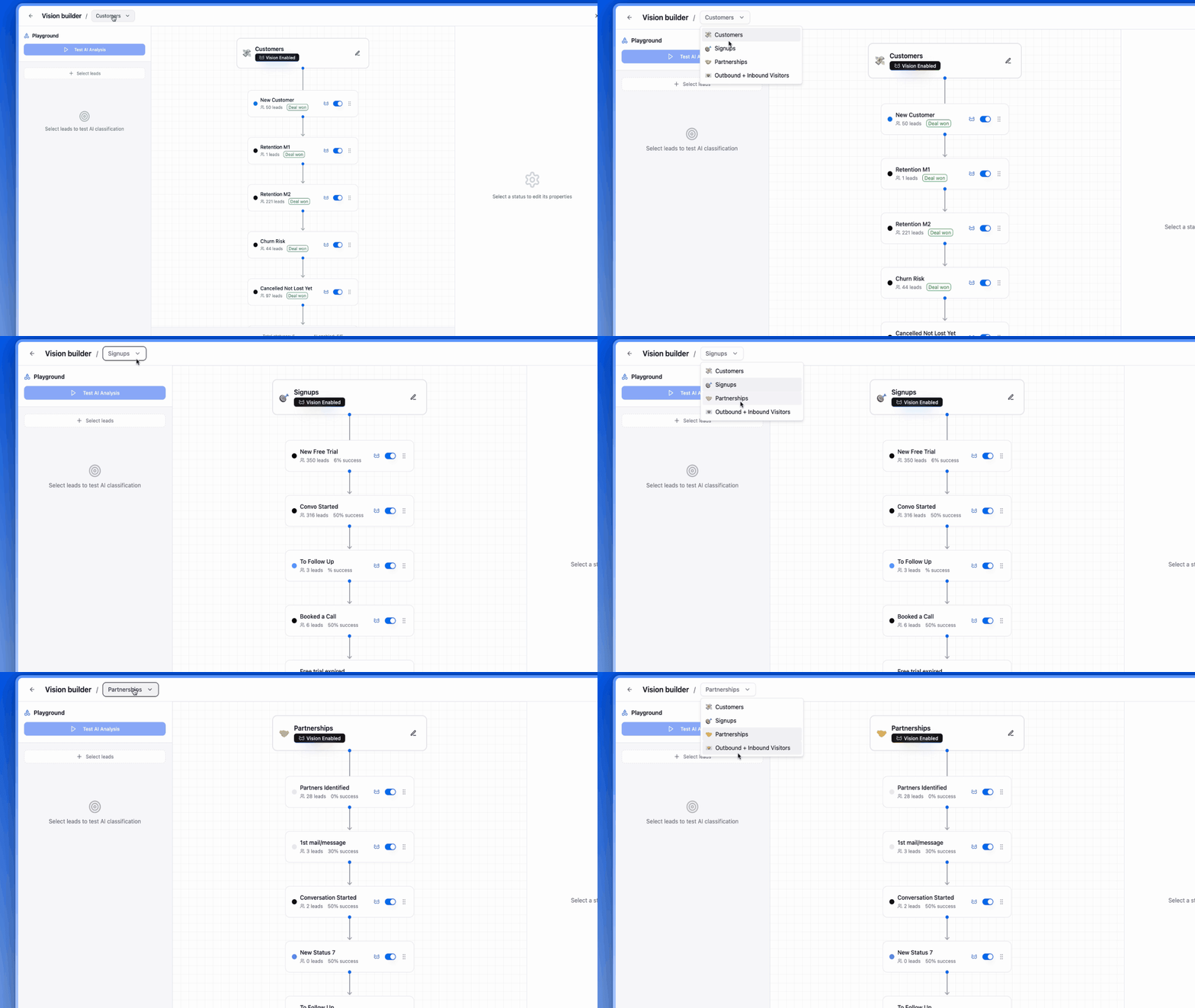
Close lets you build detailed workflows to automate tasks, notifications, and outreach — powerful, but often time-consuming to set up.
Breakcold makes it effortless. Out of the box, AI handles your workflows automatically. Want something custom? Just type it in plain English — like “Only add leads to the outbound list if their source is Anonymous Visitors or Cold Email.” Breakcold’s AI instantly creates the rule, no complex setup required.
In short: Close gives you flexibility, but Breakcold gives you AI-powered simplicity that actually saves time.
AI Personalization & Outreach
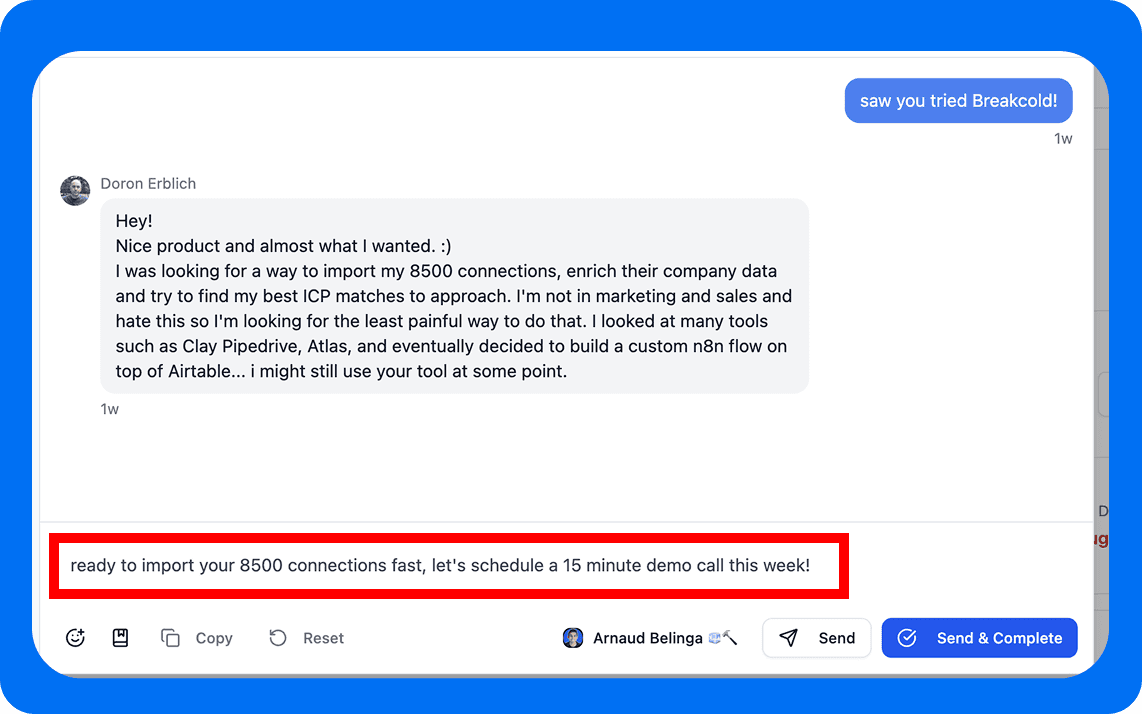
At its core, Breakcold is the AI Native CRM for sales teams of 5 to 30, with multichannel selling built in. With features like social listening and engagement feeds, sales reps can tailor outreach to match their prospects’ unique interests without forcing awkward interactions. You can even engage directly on LinkedIn via the engagement feed, staying top of mind organically, all without leaving the CRM.
And it doesn’t stop there. In your auto-created social messages or email follow-ups, Breakcold’s AI suggests personalized copy for you. These AI-suggested messages can:
Match your AI-defined sales personality
Adapt to the tone of voice of your prospects
Even pull from a prospect’s social posts to add a hyper-relevant PS line that breaks the ice naturally
While Close.io does offer automated outreach features, these lack the personal touch and context that Breakcold delivers. If you want to build genuine one-to-one connections with leads, Close.io falls short — but Breakcold makes it effortless.
Fair Market Value
Overall, Breakcold delivers one of the first AI Native CRMs at a lower price point, making powerful features like AI-driven workflows, multichannel selling, and smart messaging accessible to startups and small businesses without breaking the bank. Check out our pricing plans below:
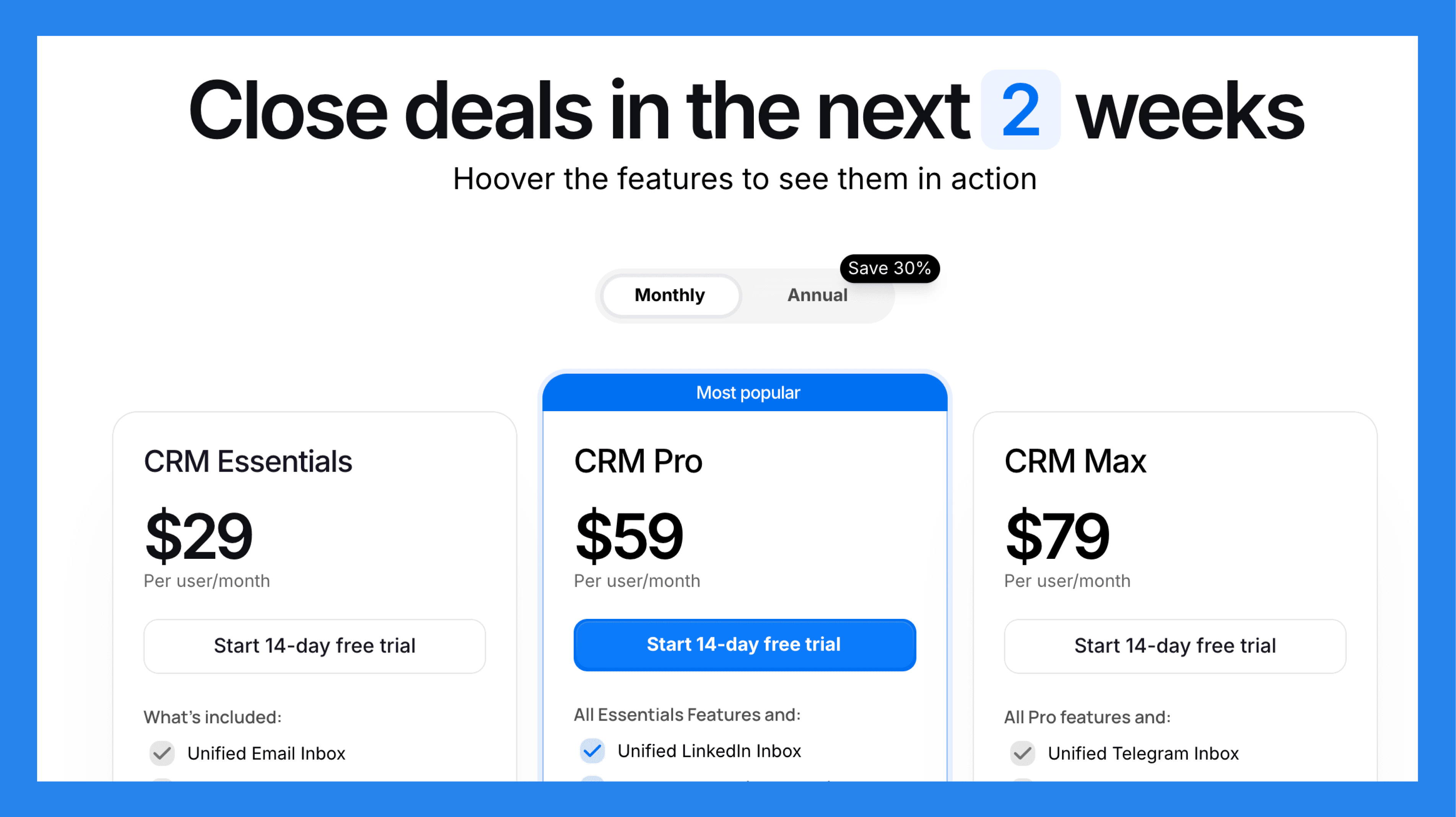
CRM Essentials | CRM Pro | CRM Max |
|---|---|---|
$99/mo | $99/mo | $99/mo |
What's included: Unified Email Inbox CRM Analytics (Last 30 days) Manage from +7 platforms Reminders & notes Engagement Feed Unlimited contacts & pipelines API, Zapier & Make + others | Essentials features, plus: Unified LinkedIn Inbox CRM Analytics (∞ History) Lead Source Auto Lead Scoring 1-click import 1-click LinkedIn follow up Email campaigns Keyword search for social posts | All Pro features, plus: Unified Telegram Inbox Auto-sync of Telegram Activities 1-click Telegram Follow Up Advanced Analytics Blocks Reporting (soon) WhatsApp Inbox (soon) Advanced Workflows (soon) |
A team of 5 on Breakcold is $139/mo, where Attio, Pipedrive and HubSpot Sales Hub run about $500/mo for 5 seats with similar features.
Closing Statements 💬
Overall, Close’s CRM is best suited for:
Sales teams that rely heavily on robust calling automations
Small teams or solopreneurs that value clean, intuitive interfaces
Teams that can afford The Startup Plan ($49/month/user) just to access the core features
But here’s the reality: 80% of your prospects now spend their time on social media. Closing deals faster, staying top of mind longer, and fueling your demand generation engine comes from meeting leads where they already are. That’s why Breakcold, the AI Native CRM for sales teams of 5 to 30, is redefining how modern sales teams operate.
Breakcold doesn’t just centralize your pipeline; it leverages AI to automatically listen, engage, and generate hyper-personalized messages based on your prospects’ behavior and tone. Close.io still delivers solid sales automation, but it lacks the AI-native intelligence, personalization, and multichannel selling that make Breakcold so powerful.
The future of B2B sales is an AI Native CRM that does the admin work for you, and Breakcold is leading the way.
Frequently asked questions

Written by
Arnaud Belinga · Co-Founder & CEO at Breakcold
Arnaud is the Co-Founder & CEO of Breakcold, the AI Native CRM for sales teams of 5 to 30+ people.