Sales is fun. Updating your CRM is not 😩.
Good news AI CRMs are finally ending the pain of manual updates, missed follow-ups and pipelines that never reflect reality.
In this article, you’ll learn why auto-moving leads is a game changer, how AI CRMs pull it off, and the best tools to make it happen. Let’s dive in 🤖✨.
3 AI CRMs that Move Leads Automatically (TL;DR) | ||
|---|---|---|
AI CRMs exist to eliminate the single worst part of sales: updating your CRM manually 😩. Instead of dragging cards, creating tasks, or remembering follow-ups, an AI CRM reads your conversations, understands your sales process, and moves leads to the right stage automatically like a 24/7 virtual assistant.
| ||
Why AI CRMs move leads automatically?
Managing leads manually is the WORST part of selling 😩.
Whether you’re using Google Sheets, Notion, Airtable or a “real” CRM, it’s always the same story...
You spend your days updating fields, moving cards, creating tasks, fixing forgotten follow-ups.
And all of this admin work kills your sales flow 🪦.
That’s why AI CRMs exist in the first place.
They remove the boring stuff, the repetitive stuff, the “ugh I’ll do it later” stuff and they do it automatically 🤖.
Instead of you updating the CRM, the CRM updates itself based on your conversations (email + social), your sales process, and the data you give it during onboarding.
More selling.
Less suffering.
Everyone wins 🚀.
How AI CRMs move leads automatically?
In a proper AI-native CRM, the software reads your conversations, understands your customer journey and applies logic to place every lead where it belongs.
Nothing to configure.
Nothing to drag and drop.
Nothing to remember.
Here’s what happens behind the scenes:
✨ The AI understands your business (website, description, sales process).
✨ The AI generates CRM lists, pipeline stages, tags and custom fields all tailored to your company.
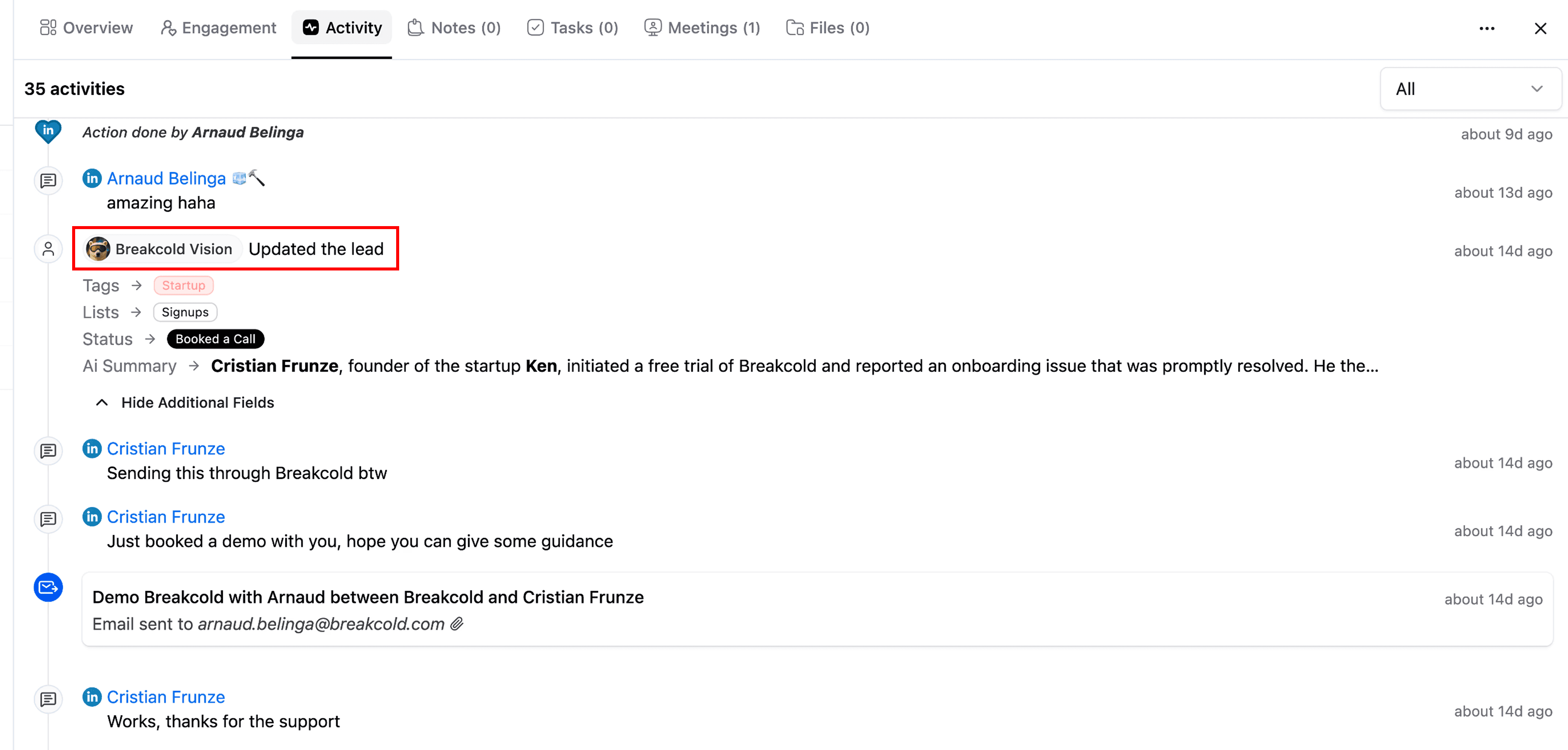
✨ Then, for every message you send or receive, it determines what that means.
Did the lead request info? Book a call? Become inactive? Receive an audit? The AI moves them accordingly.
Each stage has invisible “micro-agents” prompting the CRM to push leads in the correct bucket like magic 🪄.
This is why AI CRMs feel like having a full-time virtual assistant… except one who never forgets, never gets tired and works 24/7 🤝.
Step-by-step example with a SEO company
Let’s take an SEO agency as an example because they’re drowning in admin work 😮💨.
1. Sign up to the AI CRM
You hit “Try for free”, enter your email and begin onboarding.
2. The CRM learns your business
You give it:
• your company name
• team size
• website
• a quick voice/text description of what you do
• your sales process (SEO audit → proposal → client)
In 20–30 seconds, the AI analyzes everything.
3. The CRM builds your entire sales system automatically
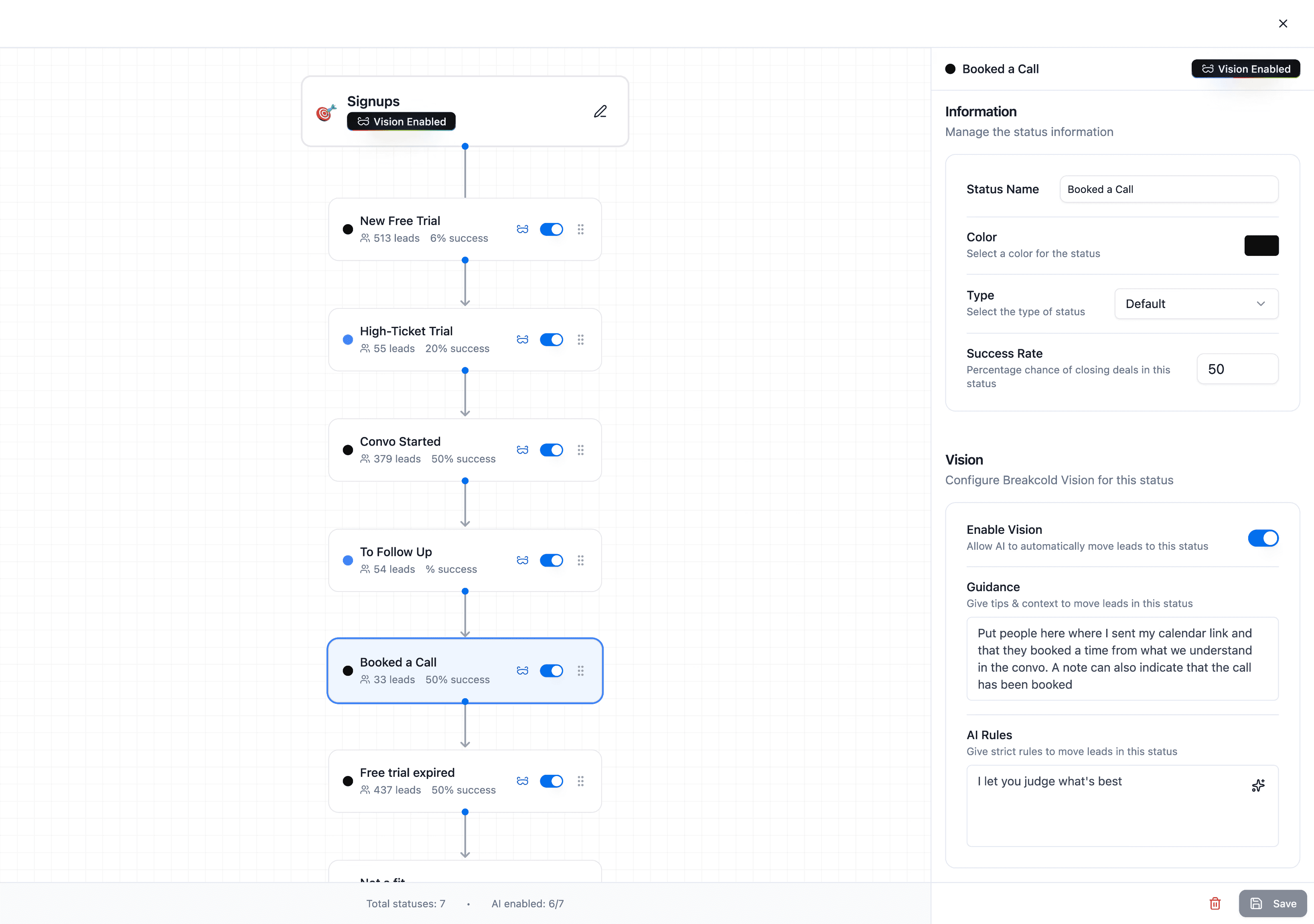
It generates:
• CRM lists (Pipeline, Clients, Referral Partners)
• pipeline stages (SEO Audit Sent, Qualification, Proposal Sent…)
• custom fields (Audit Score, Current SEO Spend…)
• tags (Startup, SaaS, High Intent…)
Zero setup.
It’s all built for you instantly ⚡️.
4. The AI CRM agents start working
Every list and every stage has its own mini-prompt a micro-agent that controls how leads move.
Example:
You sent a lead an SEO audit by email?
→ The AI detects it.
→ Moves the lead to Audit Sent.
→ Tags them High Intent because they’re a strong opportunity.
All of this happens without you touching the CRM 🤯.
5. You simply chat with leads on a dashboard
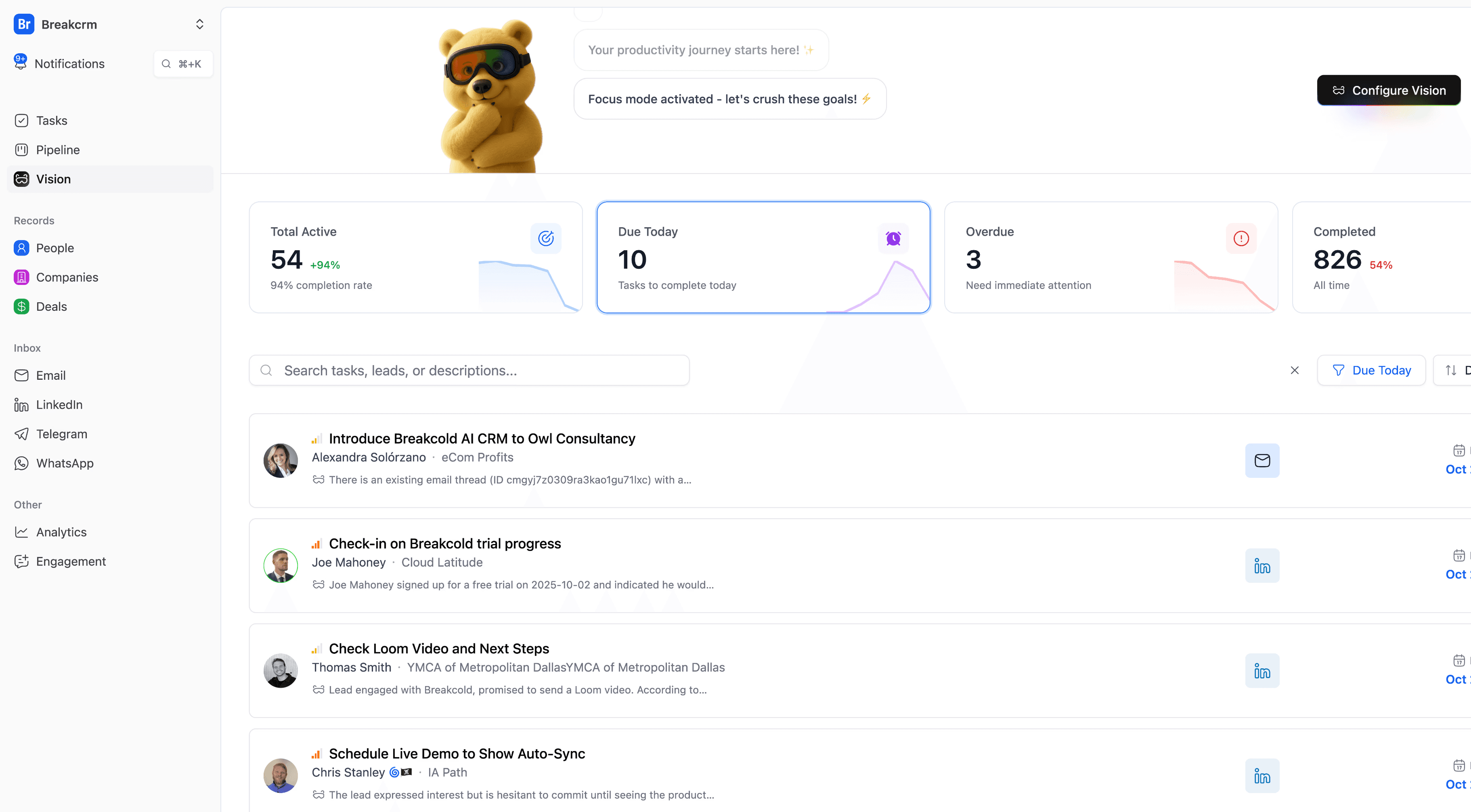
Email, LinkedIn, WhatsApp whatever.
The CRM watches everything and keeps your pipeline perfectly up to date.
Even rules can be refined:
“Leads subscribed for more than 2 months → move to X stage.”
One sentence = new automated workflow.
6. With real data, it gets even crazier
The more leads you have, the smarter the AI gets.
It knows who booked a call, who became a customer, who stopped replying and updates everything instantly.
You end up with a CRM that runs itself.
Your only job? Sell.
Best AI CRMs to move leads automatically
There aren’t many CRMs that actually do what we just described.
Most tools have “AI fluff”.
Only a few have real AI workflows.
Here are the best ones 👇
Breakcold – The AI Native CRM for Modern Salespeople
f you want your CRM to be more like a smart assistant than a manual task list: Breakcold is built exactly for that ✨🤖.
What Breakcold does amazingly well
1. True “zero-setup” AI CRM: it builds itself for you
From the moment you sign up and provide basic info (company name, website, sales process, lead sources), Breakcold analyzes everything automatically.
It creates CRM lists, pipeline stages, custom fields, tags tailored to your business model.
No need to drag and drop.
No need for manual configuration.
You start with a working CRM in minutes.
2. Auto-movement of leads based on real conversations
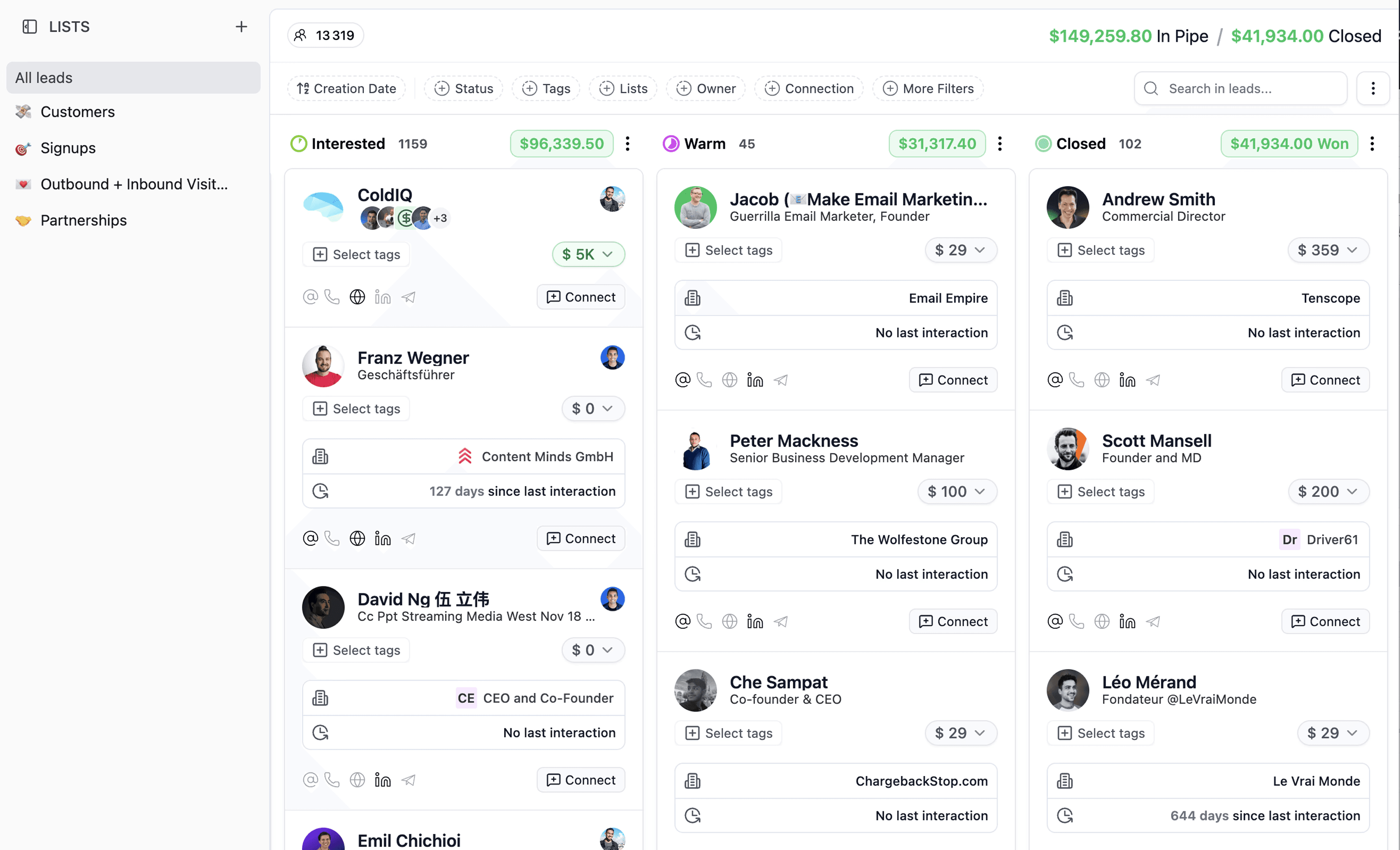
Breakcold monitors your communication across channels (email, LinkedIn, etc.), and automatically moves leads into the right bucket depending on what they do or say.
Sent an audit? Moved to “Audit Sent”.
Lead replied? Maybe “Qualified” or “Proposal Sent.”
Booked a call? Automatically updated status.
This means you don’t waste time updating statuses manually the AI handles it while you focus on chatting and selling.
3. Auto-tagging & custom field management
Based on what the lead says or what you’ve defined (industry, intent, service type, etc.), Breakcold assigns tags (e.g. “startup,” “enterprise,” “high-intent”) and fills custom fields automatically (e.g. “audit score,” “SEO spend,” etc.).
This keeps your CRM data clean, structured and useful without you having to type a thing 🧠.
4. Automated task creation and follow-ups
Worried about forgetting to follow up after a few days of silence?
Breakcold’s AI agents will schedule follow-up tasks for you or remove them if your lead responds.
So no more sliding deals off the pipeline because you forgot to press “remind me” ✔️.
5. Multi-channel unified inbox & integrations
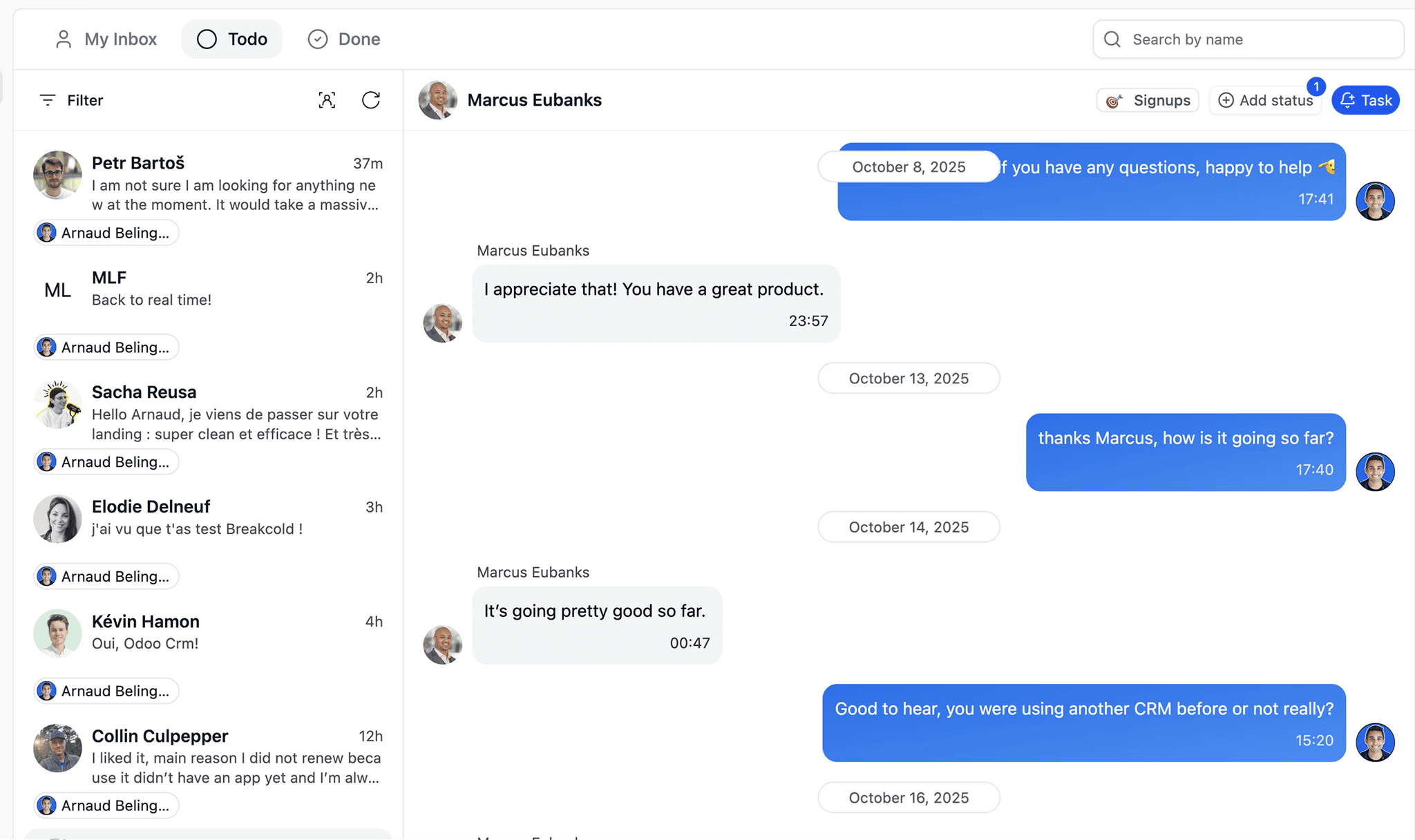
Whether your leads reach out via email, LinkedIn, WhatsApp, Telegram Breakcold lets you manage it all in one place.
This unified inbox means the AI has a complete view of your conversations, which leads to smarter and more accurate automation 🚀.
6. Flexibility & control: AI-generated workflows with optional manual tweaks
By default, Breakcold works on its own. But if you want more control, you can customize workflows using plain language.
For example: “Move leads who subscribed over 2 months ago into renewal outreach.”
One sentence = new automated rule.
You decide how much control vs automation you want 🧩.
Where Breakcold may not be a perfect fit
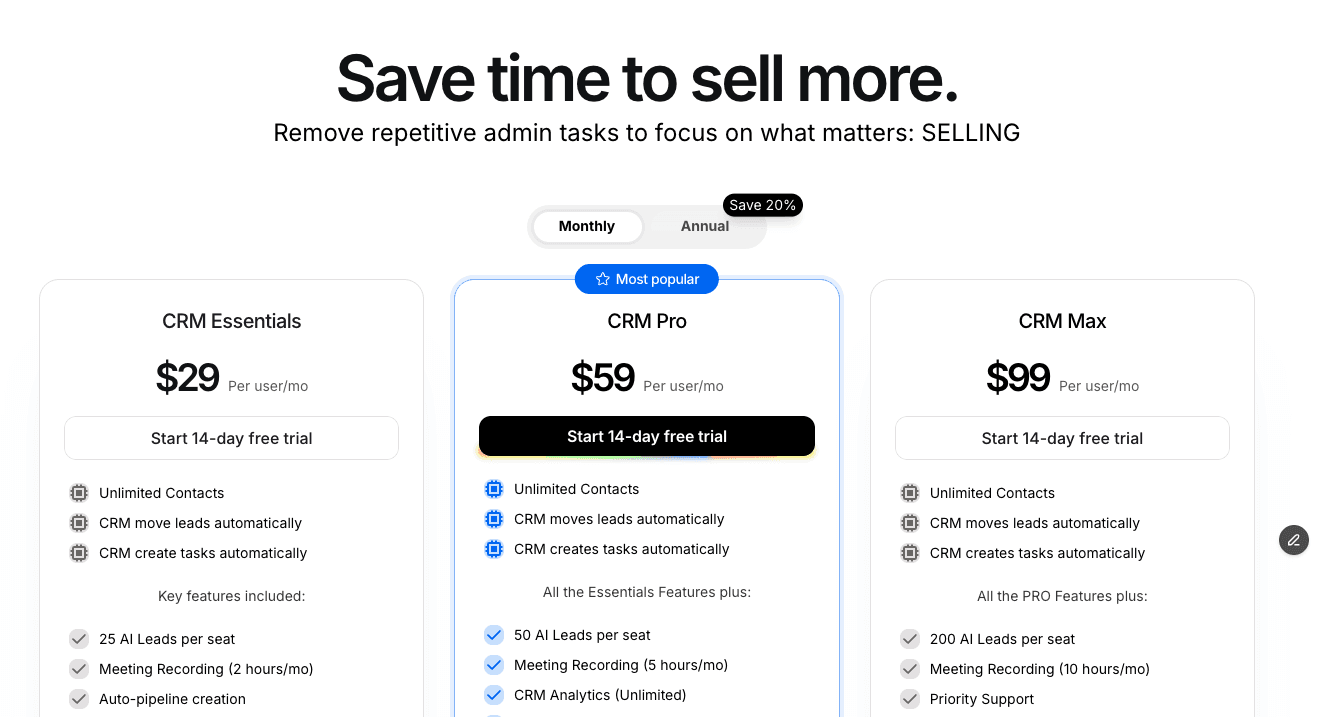
⚠️ Pricing powerful features don’t come free
As with many AI-powered tools, Breakcold isn’t the cheapest CRM. If you need full features (multi-channel, auto-tasks, advanced AI agents), you’ll likely need a paid plan.
⚠️ Might feel “too automatic” for people who like manual control
If you love tweaking every detail, manually moving leads and having full visibility the automatic nature may feel like you’re giving up control.
Breakcold assumes you trust its judgment.
⚠️ Best suited for smaller teams, agencies or SMBs
If you run a tiny freelance business or a solo operation, the power might be overkill.
Also, if your workflow is extremely niche or highly customized sometimes the AI-generated defaults may need tweaking.
Who should pick Breakcold?
✔️ Freelancers, agencies, startups, small sales teams
✔️ Salespeople who hate admin work and want to focus on selling
✔️ Teams using multiple communication channels (email, LinkedIn, WhatsApp…)
✔️ People who want a CRM that works out of the box — no setup headache
✔️ Businesses that value automation, simplicity, speed, and consistency
If you want a CRM that basically runs itself, acts like a virtual sales assistant, and keeps everything organized while you sell Breakcold is one of the best bets out there 💡.
Attio – The AI CRM for PLG Startups
If your company is growing fast, deals with many customers, or needs deep workflow customization… Attio might be the CRM for you 🧩🚀. It’s built not for micro-outreach or solo founders, but for teams that think in scale, processes, and structure.
What Attio gets right
1. Workflow engine that actually lets you build complex flows
With Attio, you’re not just moving leads manually you can design multi-step, conditional flows that match exactly how your sales, onboarding, and customer journey works.
For example: a lead enters → check if it matches ICP → if yes, wait for demo booking → send proposal → if accepted, assign to customer bucket, else send nurture sequences. All automated via the built-in workflow engine ⚙️.
This is ideal if your business isn’t “one-size-fits-all,” but has different pathways depending on lead type, size, or segment.
2. Strong for scale especially for PLG or enterprise-level businesses
If you’re dealing with lots of leads, many customer types, and different sales flows (B2B, enterprise, self-serve, referrals, etc.), Attio handles complexity much better than simpler CRMs.
It’s like having a powerful central ops-hub keeping all your processes lined up neatly 🏢📊.
3. Semi-AI automation + Human-in-the-loop flexibility
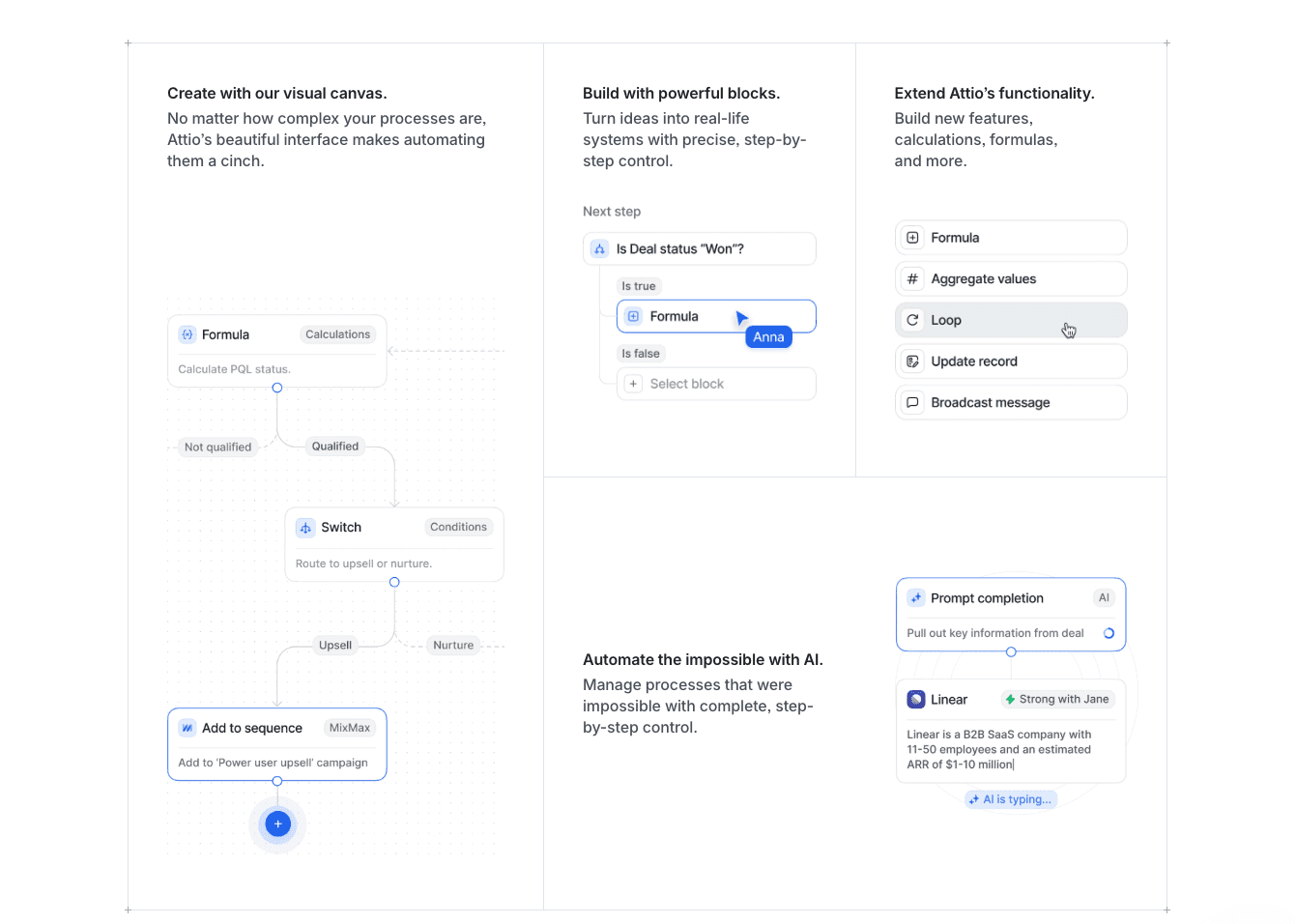
Attio brings AI into the equation, but in a more plug-and-play, structured way.
You can push leads via webhooks, qualify them automatically, enrich data, and let Attio route leads into the right lists.
This means you don’t lose control you define the logic, and Attio makes it run.
This keeps things flexible and enterprise-friendly, while still cutting down manual workload.
4. Great for teams that have varied lead sources and complex customer journeys
If your leads come from website signups, referral programs, direct outreach, integrations, and more, and each type follows a different path Attio lets you map all that out cleanly.
You won’t get lost juggling spreadsheets, Slack messages, or disjointed tools: everything lives in one system, and workflows adapt accordingly.
Where Attio isn’t ideal compared to a fully AI-native CRM
⚠️ Complexity comes at a cost
Unlike a “plug-and-play” AI CRM (like Breakcold), Attio requires you to build workflows yourself.
You need to define conditions, flows, triggers — there’s more manual setup than with a full-on AI agent.
⚠️ More learning curve; maybe overkill for small teams
If you’re just a solo founder or a tiny agency, it may feel heavy, complicated, and slow to start.
It’s overkill if you only have a few leads, a simple process, or don’t want to spend time building flows.
⚠️ Less “set and forget” automation
Attio doesn’t fully think for you. Instead, it gives you a powerful engine but you need to drive it.
You get automation but not the “zero-setup, zero-admin” experience that AI-native CRMs promise.
Who should pick Attio?
✔️ Fast-growing startups
✔️ PLG businesses
✔️ Companies with layered sales funnels (self-serve → demo → enterprise)
✔️ Teams that value custom workflows, data segmentation, and process control
✔️ Businesses with multiple lead sources, customer types, and complex onboarding
If you want control, structure, and flexibility at scale while still reducing manual workflows Attio is a powerhouse.
If you instead want “set it and forget it” simplicity with full automation, maybe a lighter more AI-native CRM is better 😉.
Close – The AI CRM for Cold Callers
Close is the CRM built for teams that live and die by the phone 📞🔥.
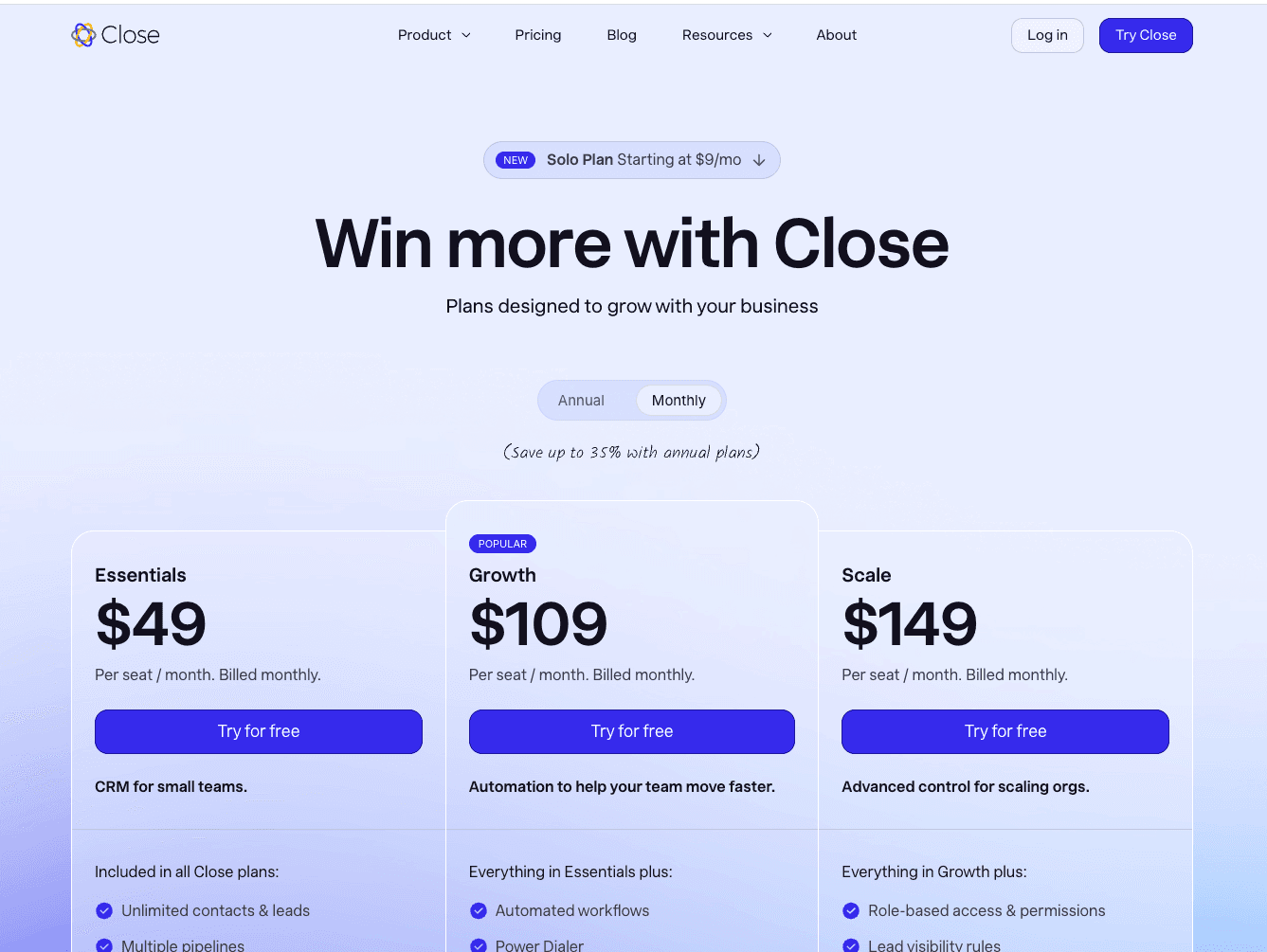
If your sales process is 80% outreach, follow-ups, and call-heavy workflows, Close feels like home.
Its biggest strength?
Speed.
Everything in Close is designed so SDRs can contact more leads, faster, with less manual friction.
Here’s what Close does well:
1. A built-in power dialer that actually feels good to use
No external tools.
No messy integrations.
You just load a list, hit dial, and go through calls back-to-back like a machine ⚙️.
For outbound teams, this alone is a massive productivity boost.
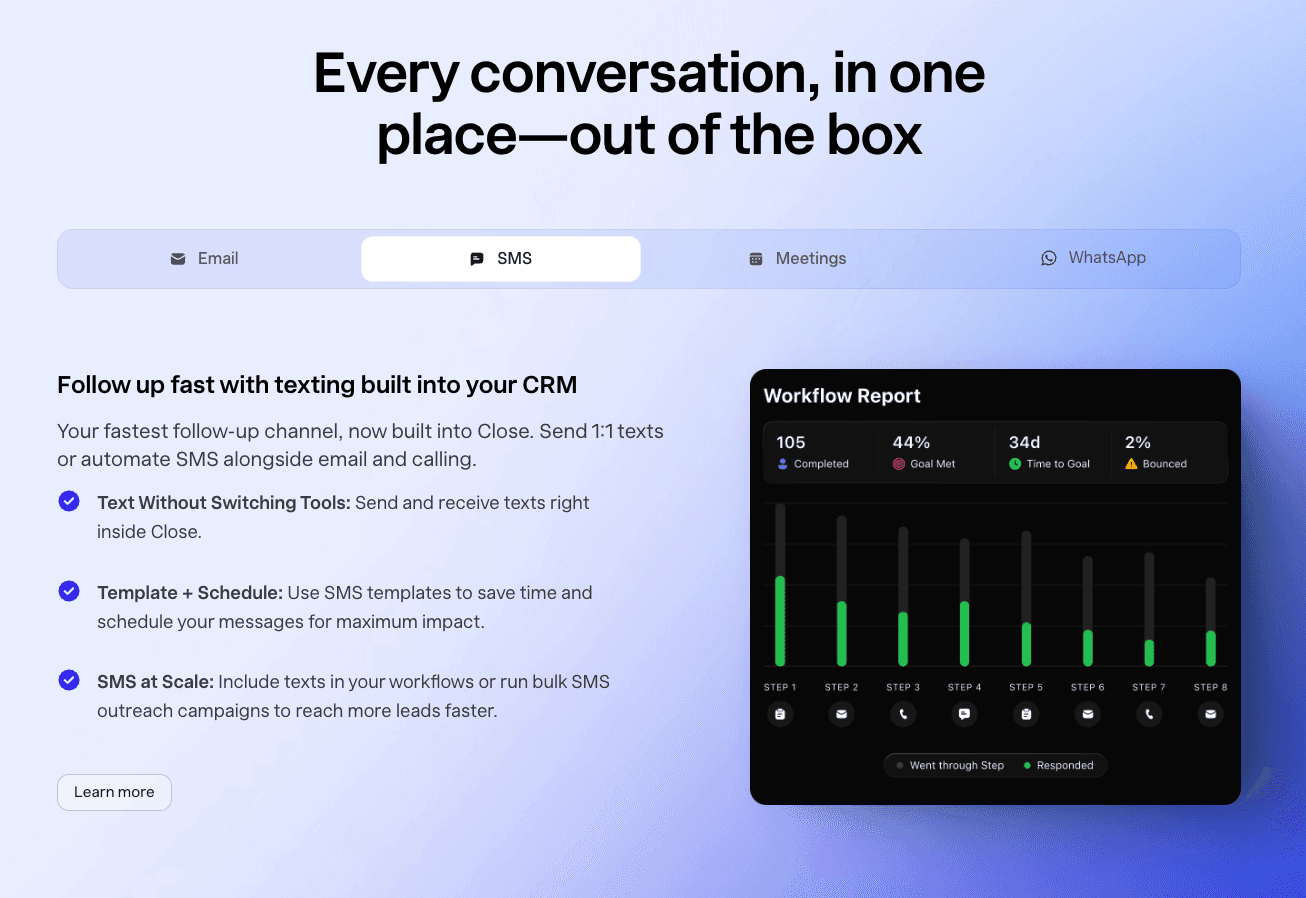
2. Multi-channel outreach that stays organized
Close centralizes:
• calling
• SMS
• email
• sequences
• templates
• call recordings
So reps don’t jump between platforms everything happens inside the CRM, keeping data clean and workflows fast.
3. AI features that help, but don’t run the whole CRM
Close has AI summaries, email suggestions, and conversation insights. These features save time prepping calls or understanding past interactions.
But and it’s the same story with most traditional CRMs the AI doesn’t move your pipeline automatically like Breakcold.
You’ll still need to:
• move leads by hand
• define workflows
• create rules
• update statuses
• manage follow-ups
Great tool, but not fully autonomous 🤷♂️.
4. Perfect for teams that rely on activity volume
If your sales model is:
“Make 50 calls a day, book meetings, close deals” → Close is honestly one of the best tools out there.
It’s the modern replacement for the old-school “predictive dialer” CRMs that outbound teams used to love.
5. Where Close falls short (compared to AI-native CRMs)
Close is excellent for outreach, but:
🚫 it doesn’t eliminate admin work
🚫 it doesn’t auto-update pipelines based on conversations
🚫 it doesn’t auto-tag or auto-create deals
🚫 it doesn’t learn your business and build workflows for you
It’s fast but not “smart” in an autonomous AI-agent way.
Who should pick Close?
✔️ SDR-heavy teams
✔️ Cold-calling agencies
✔️ Founders doing high-volume outbound
✔️ Teams who care more about speed than AI automation
If you want “a CRM that automates your admin”, Close is not it.
If you want “a CRM that lets you dial 100 leads a day”, Close is perfect ⚡️.












![The 8 Best Social CRM Software in 2026 [Comparison]](https://framerusercontent.com/images/RYHyYapdgIi83BEWtMdX418.png?width=1280&height=720)
![The 6 Best LinkedIn CRM in 2026 [Comparison]](https://framerusercontent.com/images/Luywfni7ZKjb19yghbhNPy4I4qQ.png?width=1280&height=720)